How Usability Testing Helped Us Rethink the First-Time Experience on WebMD’s Wellness App
What real users revealed about onboarding and navigation in WebMD’s enterprise wellness platform

Most people don’t open a wellness app because they want to explore a dashboard. They open it because they want to feel better.
But what happens when the path to better health isn’t immediately clear?
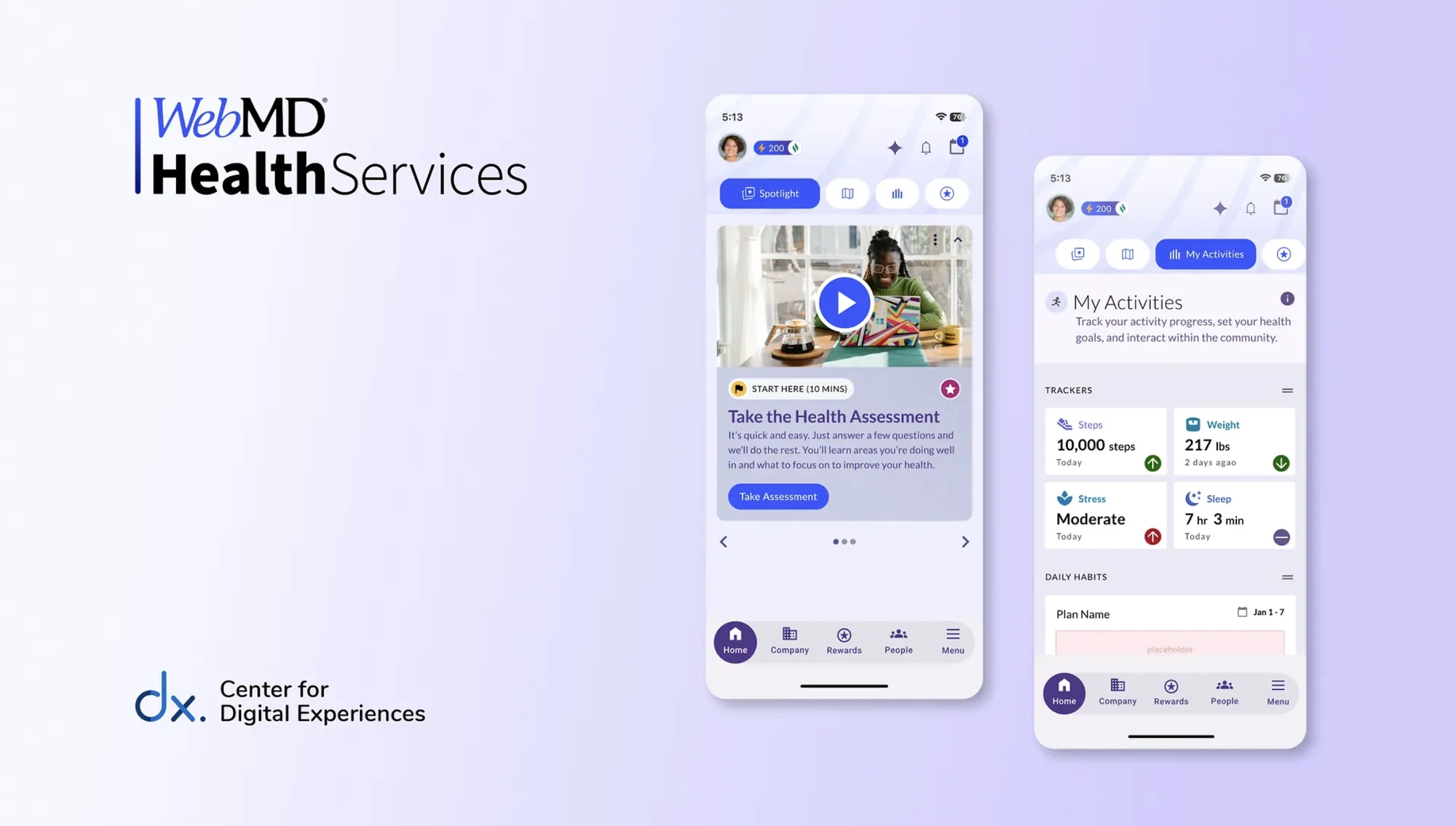
Recently, I worked for the Center for Digital Experiences alongside a team of UX researchers from to evaluate the WebMD Health Services enterprise wellness platform. Our goal was simple: understand how easily first-time users could navigate the platform and begin their health journey.
What we discovered was both encouraging and revealing.
While users appreciated the platform’s robust wellness tools and clean visual design, many struggled with a surprisingly fundamental question:
“Where do I start?”
This case study explores how we conducted moderated usability testing, what we learned from real users, and the design interventions we proposed to improve the experience.
First visit
Nobody logs in just to look around
WebMD Health Services has spent more than 25 years designing wellness programs for employers, health plans, and organizations. Their digital platform gives employees access to tools that support healthier habits, including health assessments, goal tracking, coaching sessions, and rewards systems.
But building a feature-rich platform isn’t the same as building an intuitive one. When someone logs into a wellness platform for the first time, the interface needs to answer three critical questions immediately:
- 01
What can I do here?
- 02
Where should I start?
- 03
What should I do next?
Our research aimed to evaluate whether the homepage successfully guided users through those early moments.
In the room
Watching someone try to begin
To understand the experience from a user’s perspective, our team conducted moderated usability testing sessions.
Moderated testing allowed us to observe behavior in real time while asking follow-up questions about users’ thought processes and frustrations.
Each participant completed tasks while thinking aloud, allowing us to uncover:
- Mental models
- Decision patterns
- Moments of confusion
- Navigation friction
The study was conducted with U.S.-based adults aged 25–65, reflecting the platform’s primary user base of working professionals seeking wellness guidance.
Participants were recruited through Panelfox, and each session lasted approximately 30 minutes.
The test
Seven tasks on a first login, starting with where you'd even begin
Participants were asked to imagine the following situation:
You’ve just logged into your company’s well-being platform for the first time. This platform is designed to guide you in making meaningful changes to improve your wellbeing by helping you assess your health, set personal goals, track your progress, and earn rewards. You want to get the most out of it but you’re not sure where to start.
The tasks can be summarized as follows:
- You’re on the homepage and ready to start your health journey. If you wanted to check in on your health, where would you start?
- Now that you’ve started your health journey, you’re ready to set a personal goal. How would you go about setting this up?
- You’re thinking about the activities you’re already doing, or could be doing, to support your goal. How would you find and check those activities?
- You have an upcoming call with a health coach, find out when the call is.
- You want to see how you’re doing with your progress and if you’ve earned any rewards. Where would you go to check on that?
- You’re curious about what other benefits your company offers through this platform. How would you find that information?
- What did you understand about the icons? Can you recall and describe what features they represent
These tasks allowed us to test whether the homepage supported intuitive discovery and navigation.
What broke
People liked how it looked, then got stuck on the icons
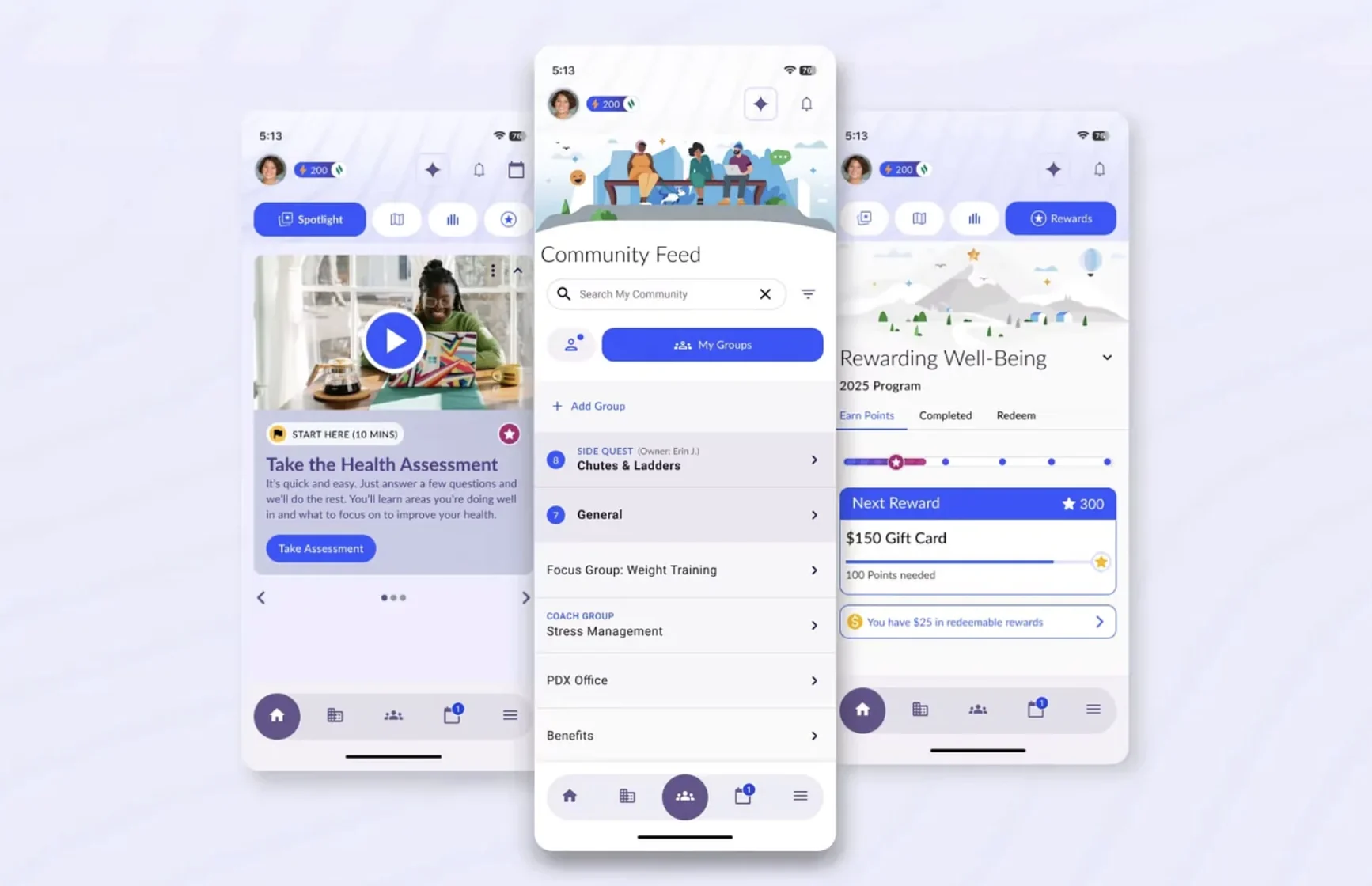
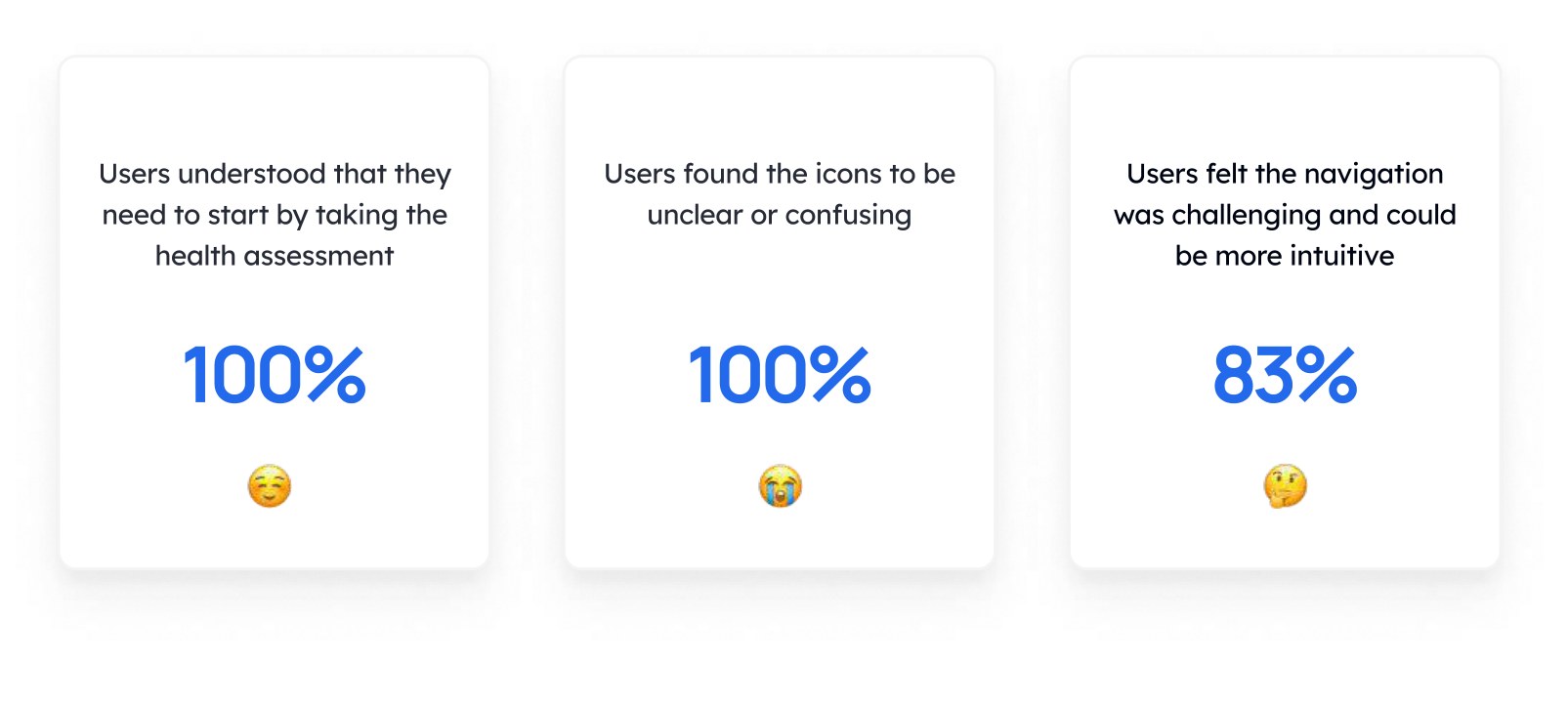
The platform made a strong first impression visually. Participants appreciated the clean layout and understood that the health assessment was the intended starting point.
However, once they moved beyond that first step, things became less clear.
Several patterns quickly emerged:
- 01
Users relied on trial and error
- 02
Icon-only navigation caused confusion
- 03
Mental models didn’t match the interface
- 04
Users expected the homepage to do more
- 05
Important features were hard to find
- 06
First-time users needed guidance
The fix
Six fixes, and the first one was just labeling the icons
Based on our findings, we proposed six design interventions to improve usability and reduce navigation friction.
Click here to view the complete Usability Testing Report
Add Labels to Navigation Icons
The first change was also the simplest.
We added clear text labels beneath each navigation icon, reducing reliance on abstract iconography.
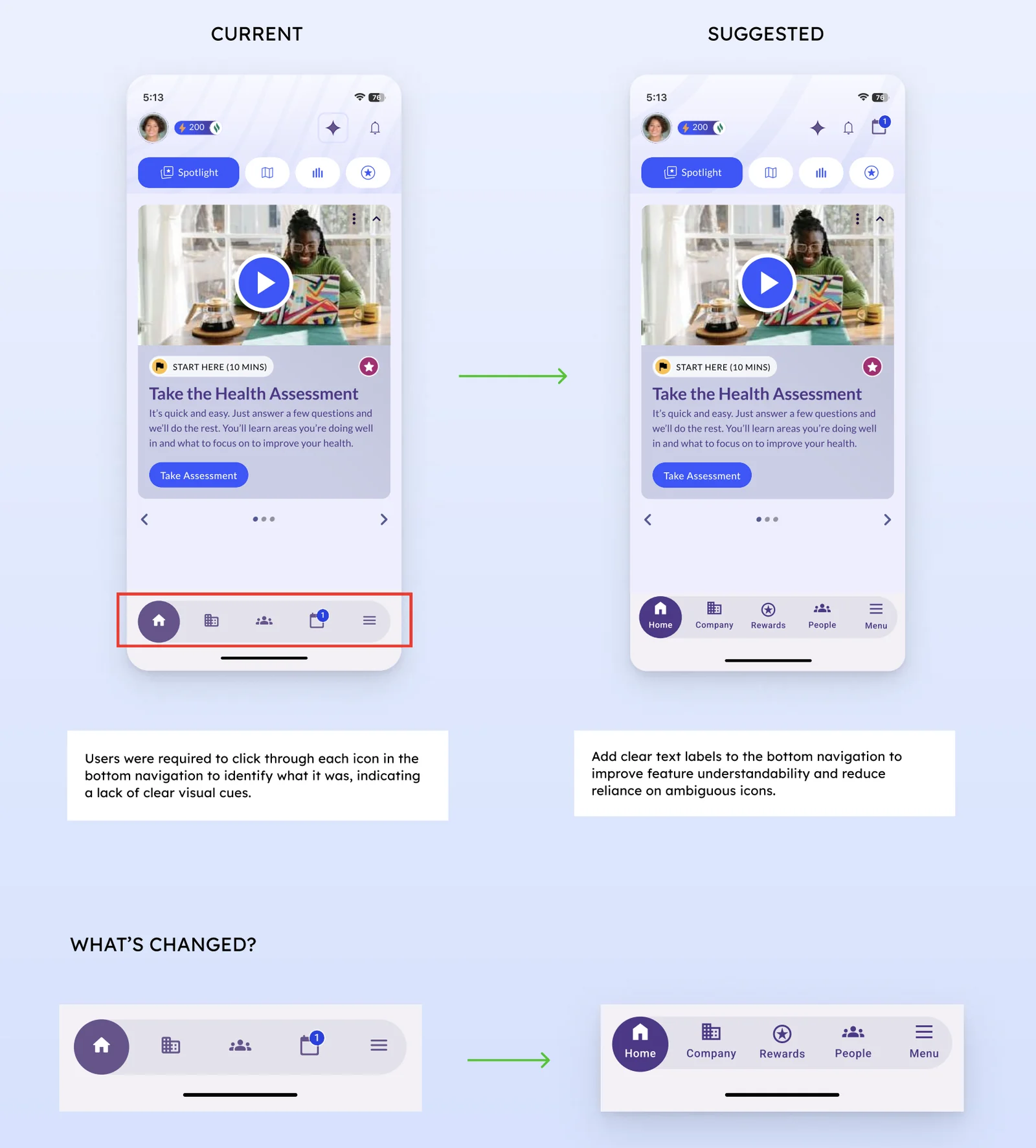
This small adjustment significantly improves:
- navigation comprehension
- feature discoverability
- user confidence
Replace Confusing Icons
The “My Journey” and “Featured” icons used metaphors that users misinterpreted.
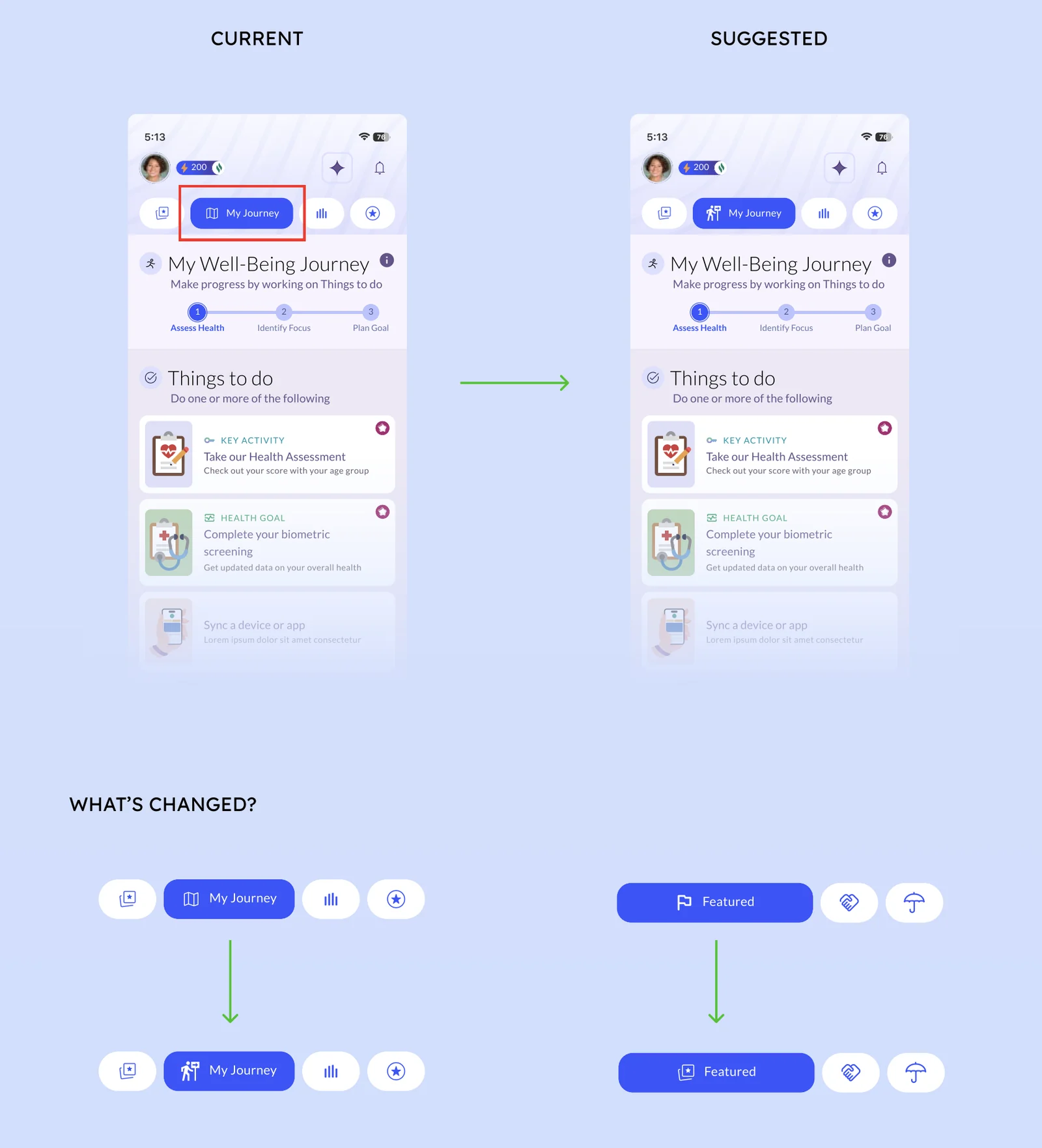
We redesigned these icons to better represent their functions:
- progress tracking for “My Journey”
- highlighted content for “Featured”
This aligns visual cues with user expectations.
Improve Information Hierarchy on Activity Pages
Participants expected to see their personal health metrics first, such as steps or stress levels.
Instead, this information appeared far down the page.
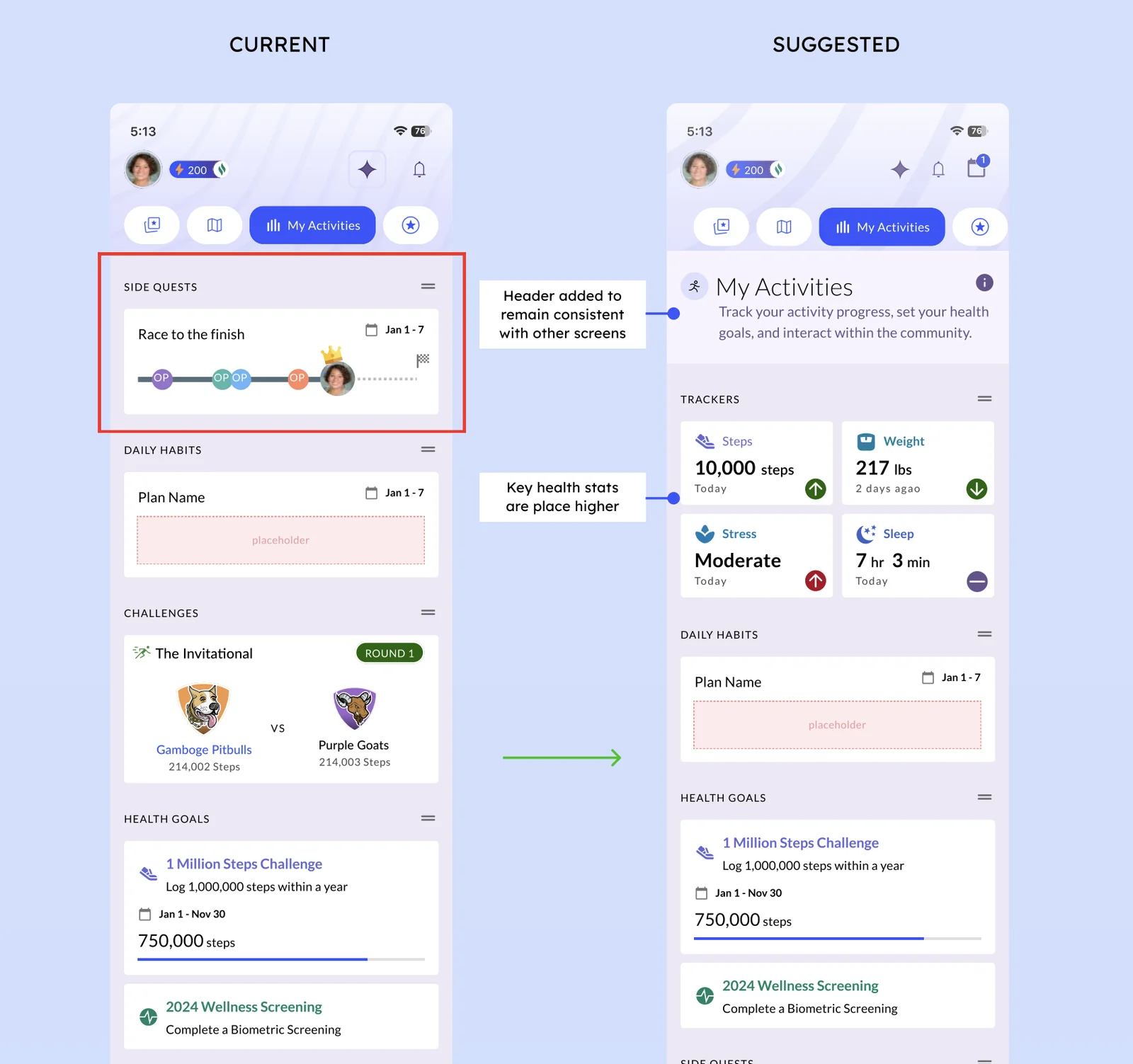
We reorganized the layout to prioritize:
- activity trackers
- personal data
- progress indicators
This supports faster scanning and clearer context.
Create a More Dynamic Homepage
The original homepage offered only one clear action: Take the Health Assessment.
Users wanted additional ways to engage with the platform immediately.
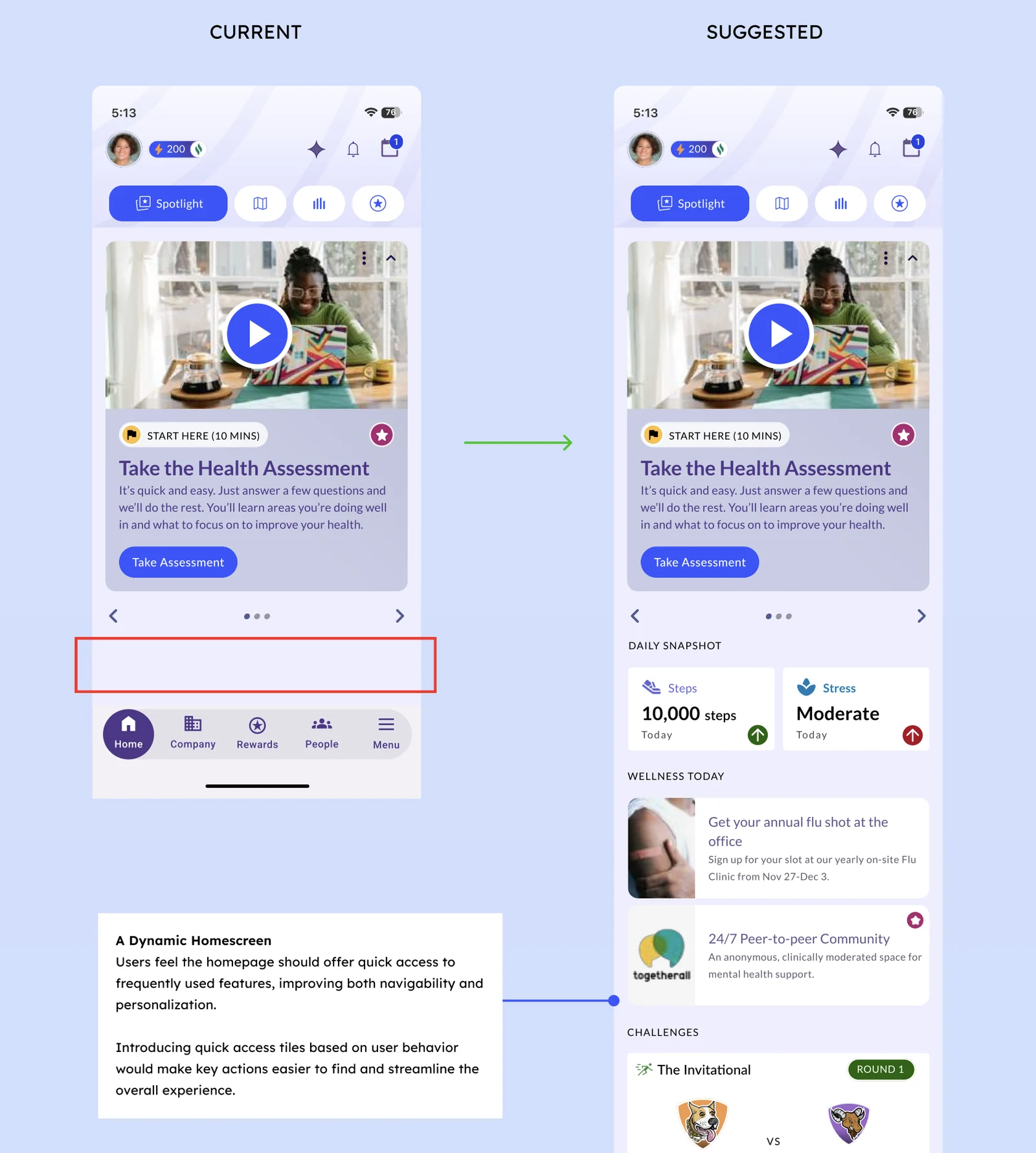
We introduced:
- quick-access health tracker tiles
- personalized wellness updates
- shortcuts to key tools
This transforms the homepage into a living dashboard rather than a static landing screen.
Move Search to the Homepage
The search feature was hidden inside a hamburger menu.
Participants expected search to be easily accessible, especially when navigating a complex platform.
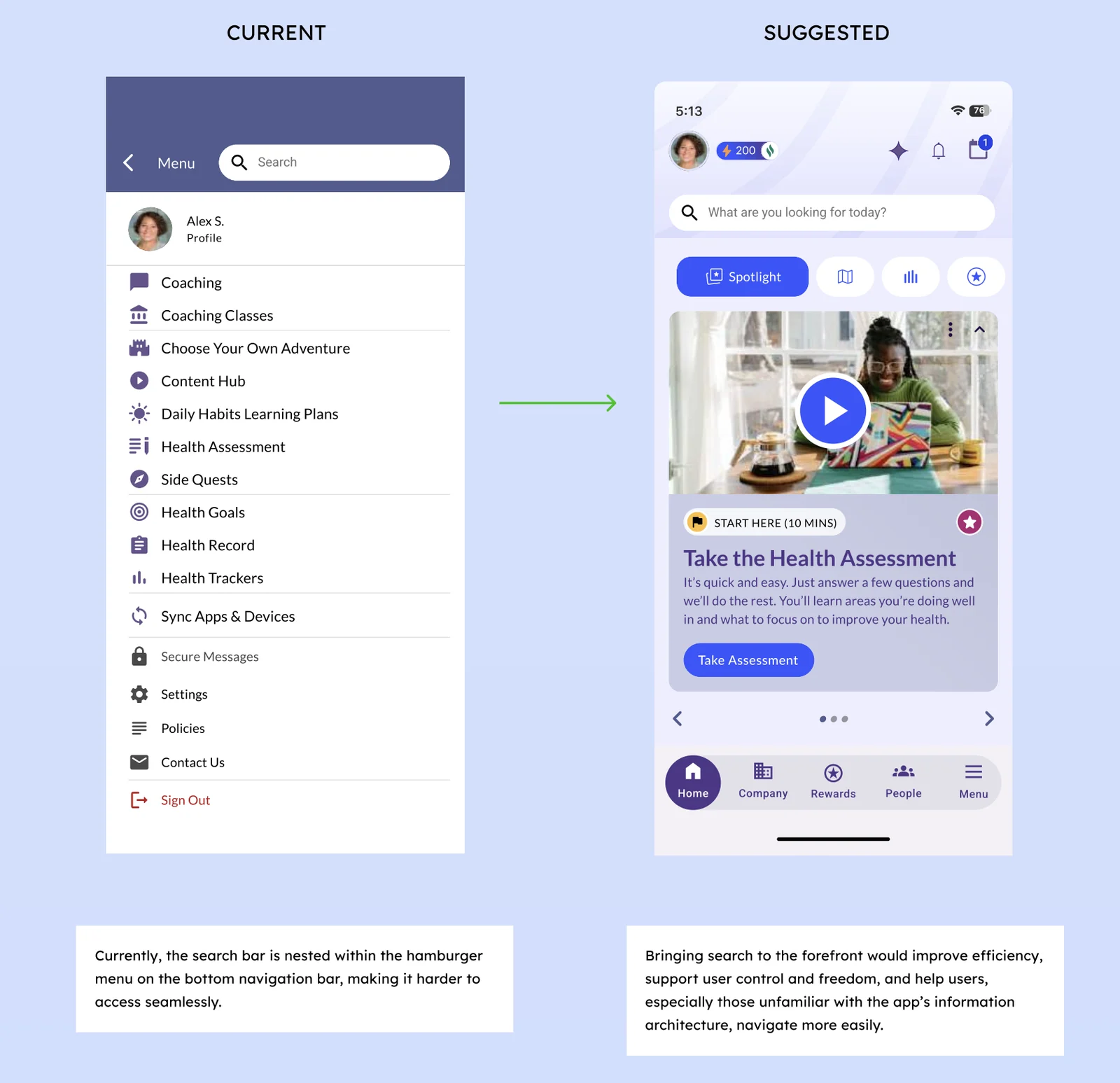
Relocating the search bar to the homepage improves:
- discoverability
- efficiency
- user control
Introduce First-Time User Onboarding
This was the most important recommendation.
Participants repeatedly asked for guidance.
“There are too many things on the page. I need a guide to tell me what is what.”
A lightweight onboarding flow can:
- explain platform sections
- highlight key tools
- reduce the learning curve
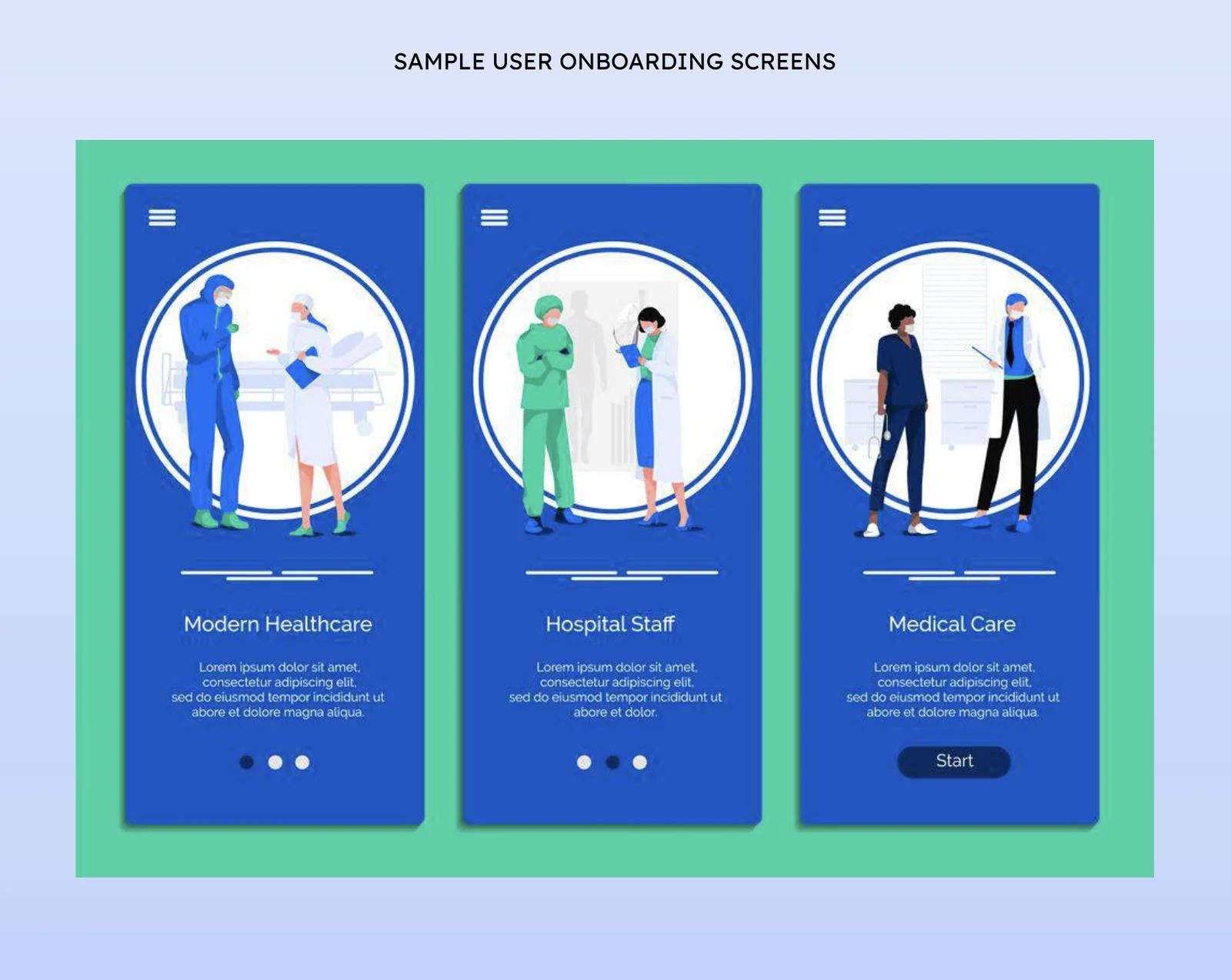
This helps new users build a mental model of the system before exploring independently.
Labels on the icons were enough to change whether people kept going
Wellness platforms are designed to encourage behavior change. But behavior change requires clarity and confidence.
When users feel unsure about navigation, they hesitate. When they hesitate, engagement drops.
Our usability study showed that even small improvements such as icon labels, better hierarchy, and onboarding guidance can dramatically improve how users experience the platform.
These changes reduce friction and allow users to focus on what really matters: their health journey.
Next time I'll learn the product before I run the sessions
This project was a fantastic opportunity to conduct usability testing with a real world healthcare product. WebMD Health Services was a collaborative partner throughout the process, and working with them highlighted how important clear communication and time management are in time-bound research engagements.
One key takeaway for me was the importance of deeply understanding the design before testing begins. Spending more time studying the product and the designers’ intentions helps researchers more quickly identify where users’ mental models break down. That understanding makes it easier to communicate usability issues clearly and provide more actionable feedback to the client.
Ultimately, this study reinforced a core UX truth: a product can have excellent features and still struggle if users don’t understand how to access them. When people feel confident navigating, they’re far more likely to keep coming back.
Grateful to my incredible teammates who made this project both collaborative and rewarding: Shriya Chipde, Aayushi Bharadwaj, and Jasmine Chen.