Fintech · AI-native banking
Designing an AI Cash Flow Forecast for Chase Business Banking
An AI-powered cash flow forecast that helps Chase Business customers anticipate shortfalls, understand why they're happening, and confidently take action.
92% prediction accuracy
24-day early warning
4 product surfaces
AI decision flow
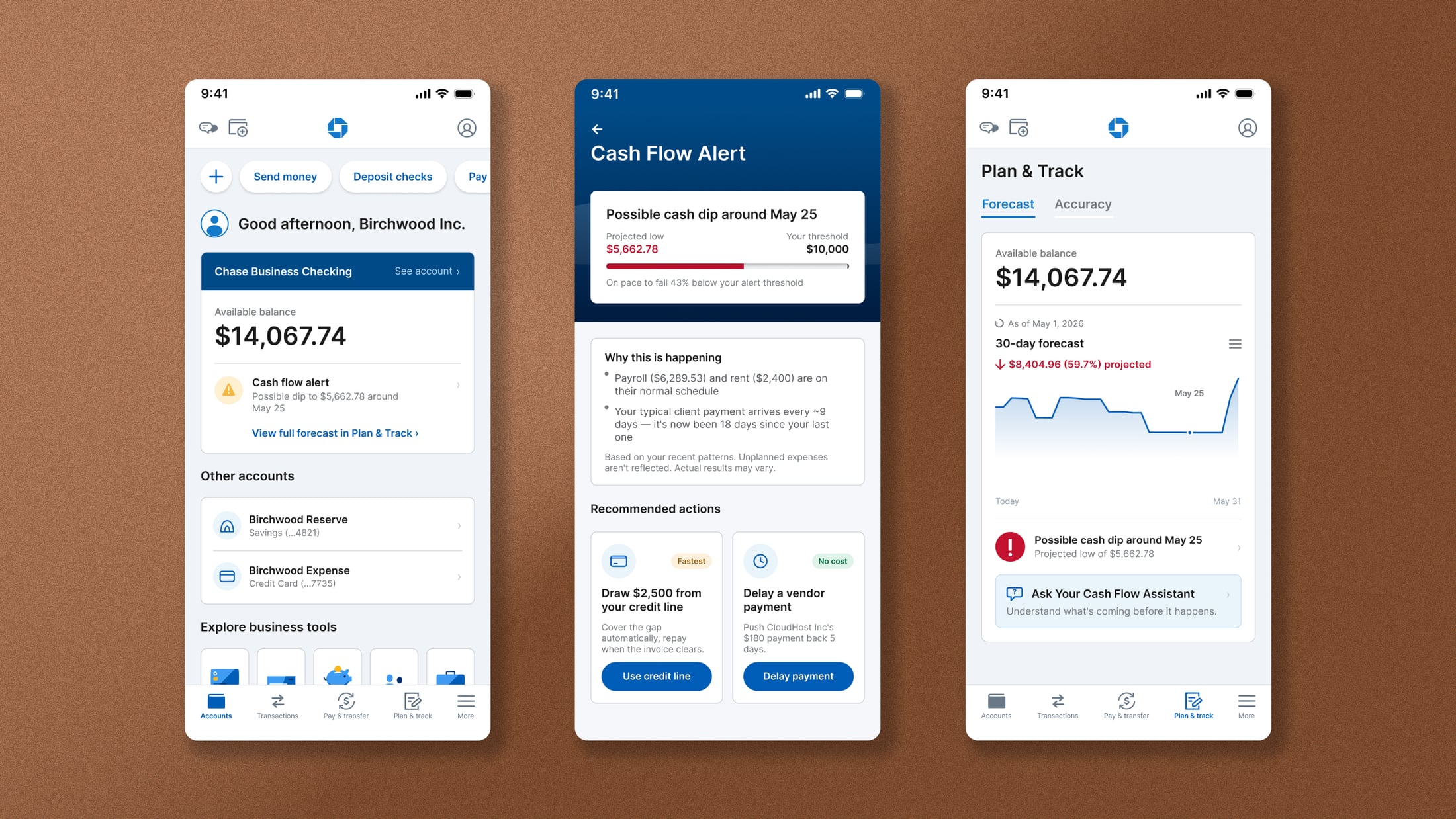
This concept explores how predictive financial guidance could be embedded into Chase Business Banking, helping small business owners anticipate cash flow risks early and make informed decisions before they become problems.
- Company
- Chase Business Banking
- Role
- Product designer: forecasting UX, conversational AI, trust patterns
- Scope
- 30-day forecast, plain-language risk, confirmation-first AI actions
- Deliverables
- 4 product surfaces, onboarding, Ask decision flow, forecast validation
Opportunity
Banking apps are built around historical transactions. Business owners need to plan for what's next.
Small business owners often discover cash flow problems only after they've happened, when payroll is due, invoices are late, or payments begin to fail. AI forecasting exists, but it is usually built for enterprise finance teams, disconnected from everyday banking, and out of reach for most small businesses.
This project explores how predictive financial guidance could live directly inside Chase Business Banking, helping owners understand upcoming risks early enough to make informed decisions.
Challenge
The challenge wasn't forecasting.
It was designing trust.
Forecasts are predictions, not guarantees. The design challenge was not visualizing future balances. It was helping users understand how confident the system was and why it reached a conclusion. These three needs had to work together:
Clarity
Plain language for complex forecasts.
Honesty
Visible confidence, not hidden guesswork.
Control
AI assists; users approve every action.
Trust in financial AI comes from explaining what the system knows and what it doesn't, not from sounding certain about the future.
Solution
An AI-powered forecasting experience built around explanation, not prediction
Instead of warning users about a future shortfall, the experience shows what changed, why it matters, and what they can do next.
- 30-day cash flow forecasting from transaction history
- Plain-language explanations for projected shortfalls
- Conversational AI for follow-up questions
- Recommendations such as drawing on a credit line or delaying payments
- Confirmation before any financial action is taken
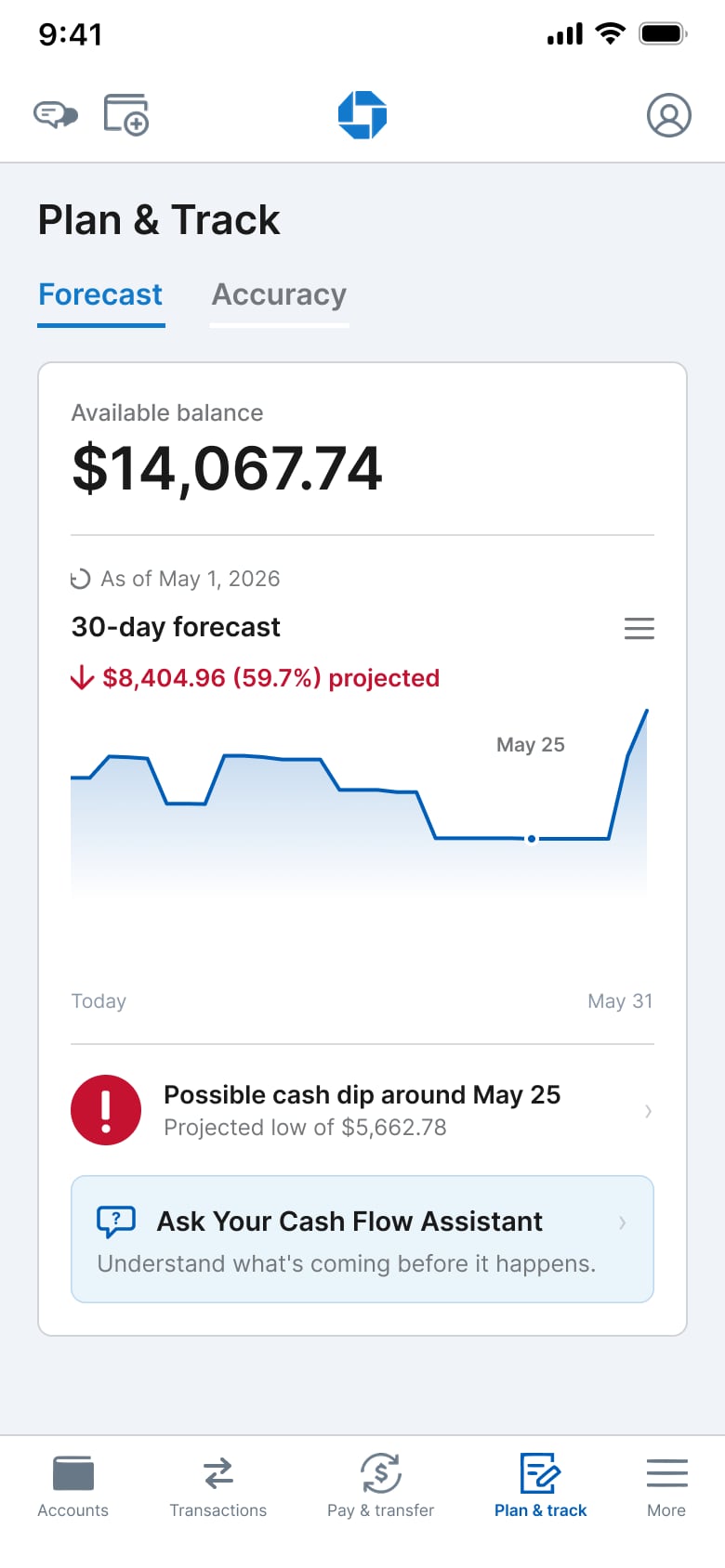
Home
Cash flow alert lands on the Accounts dashboard, in the owner's daily path.
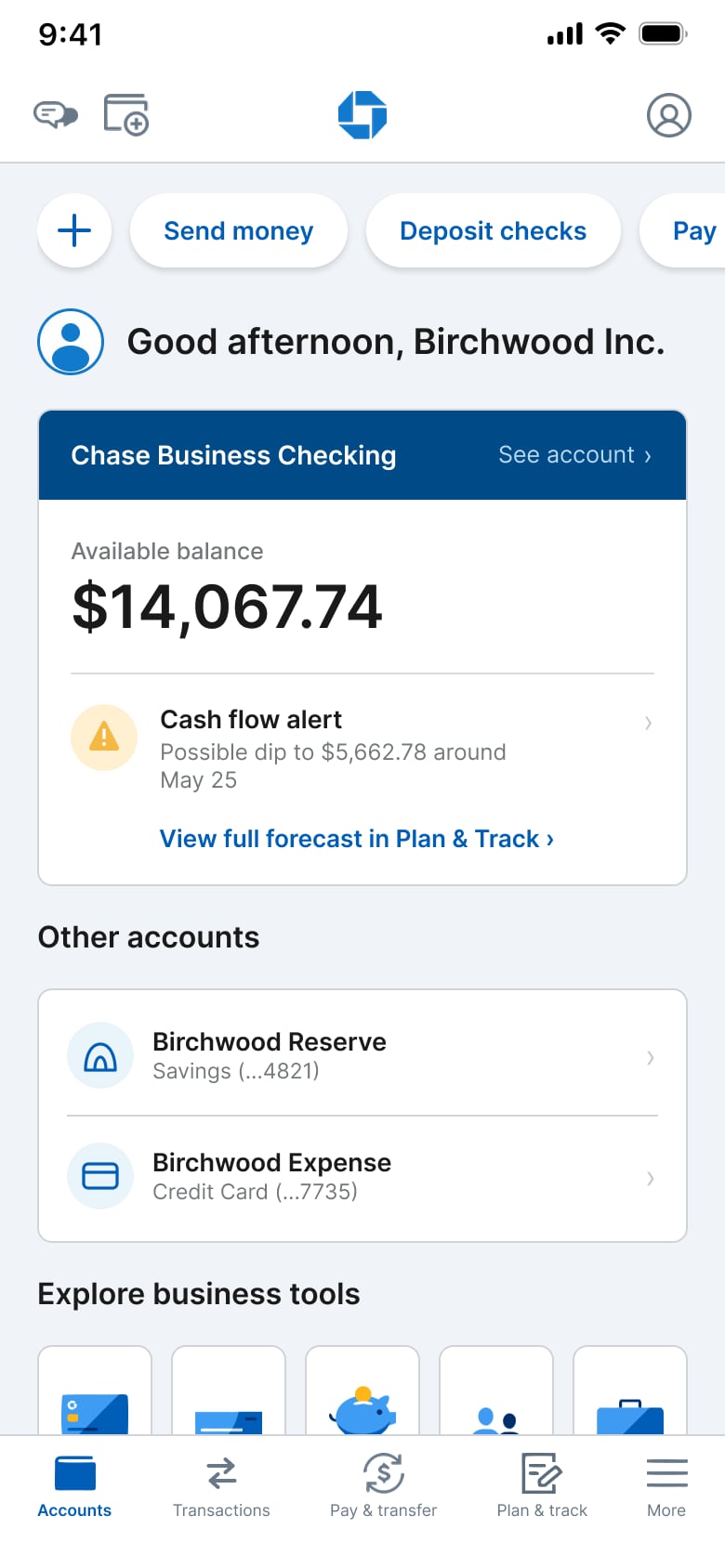
Cash Flow Alert
Projected low, pattern-based why, and recommended actions before Ask.
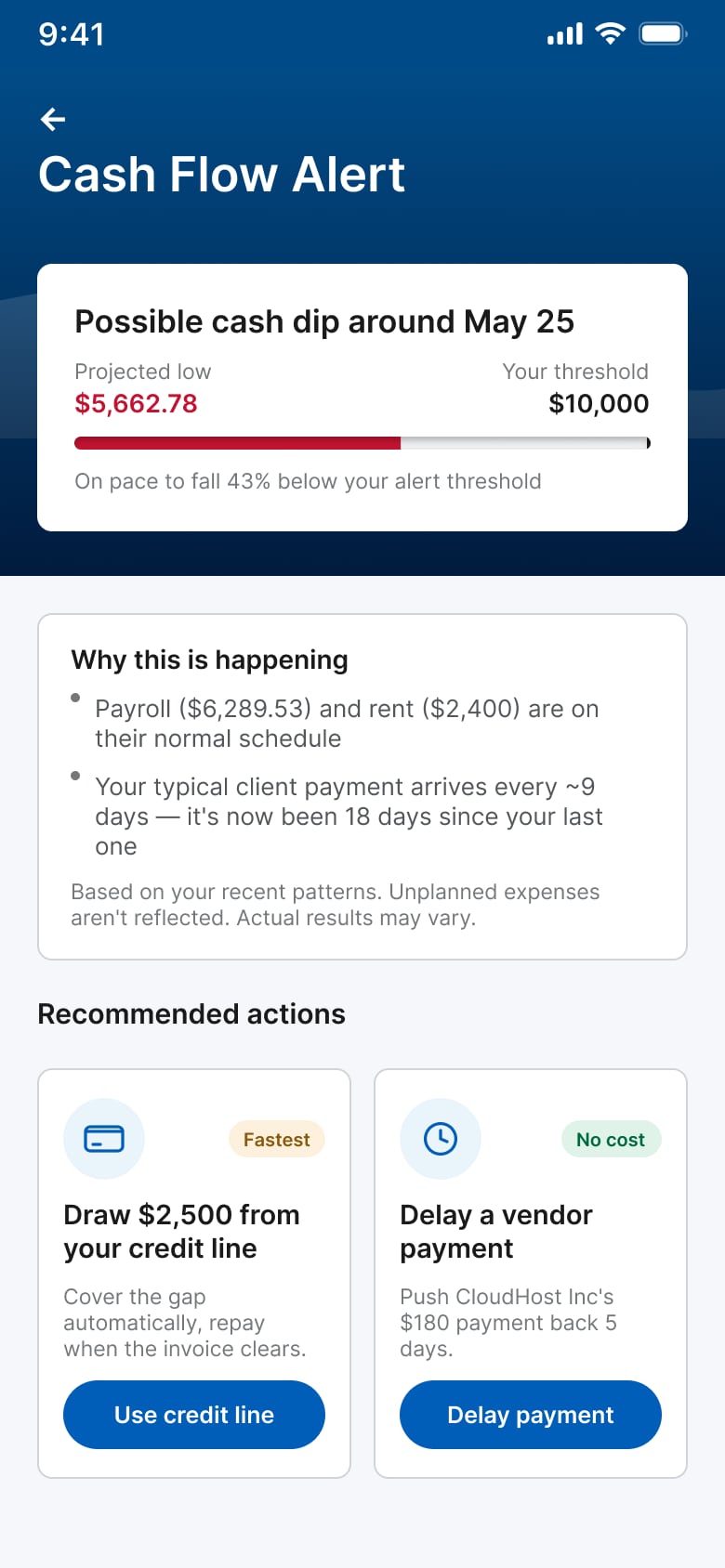
Plan & Track
30-day forecast chart with Ask entry under the alert.
Information architecture
Where forecasting sits in Chase Business Banking
AI features live within the existing app, accessed through Accounts and Plan & Track, rather than as a separate destination.
Entry
Persistent
tab bar
Product
surfaces
(Also from Plan & Track)
Entry
Persistent tab bar
AI surfaces
Accuracy is a tab on Plan & Track, not a separate screen. Cash Flow Alert is reachable from Accounts and Plan & Track.
Other
Service ecosystem mapping
Where forecasting fits into the banking journey
Forecasting isn't a destination. It's a capability woven into the owner's existing banking workflow, from the first signal through understanding, decision-making, and action.
Frontstage — what the customer sees
Backstage — systems and risk checks
Support systems
Frontstage — what the customer sees
line of visibility
Backstage — systems and risk checks
line of internal interaction
Support systems
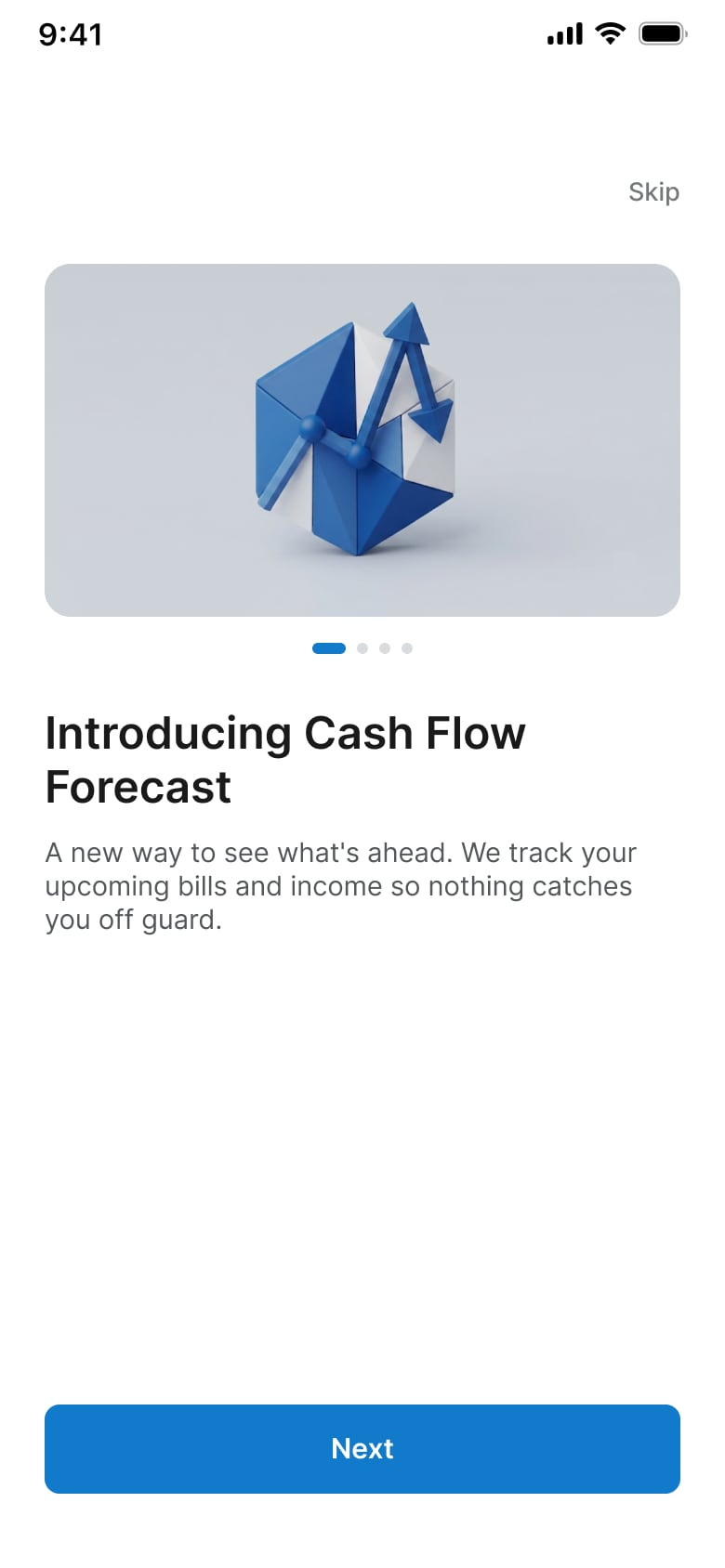
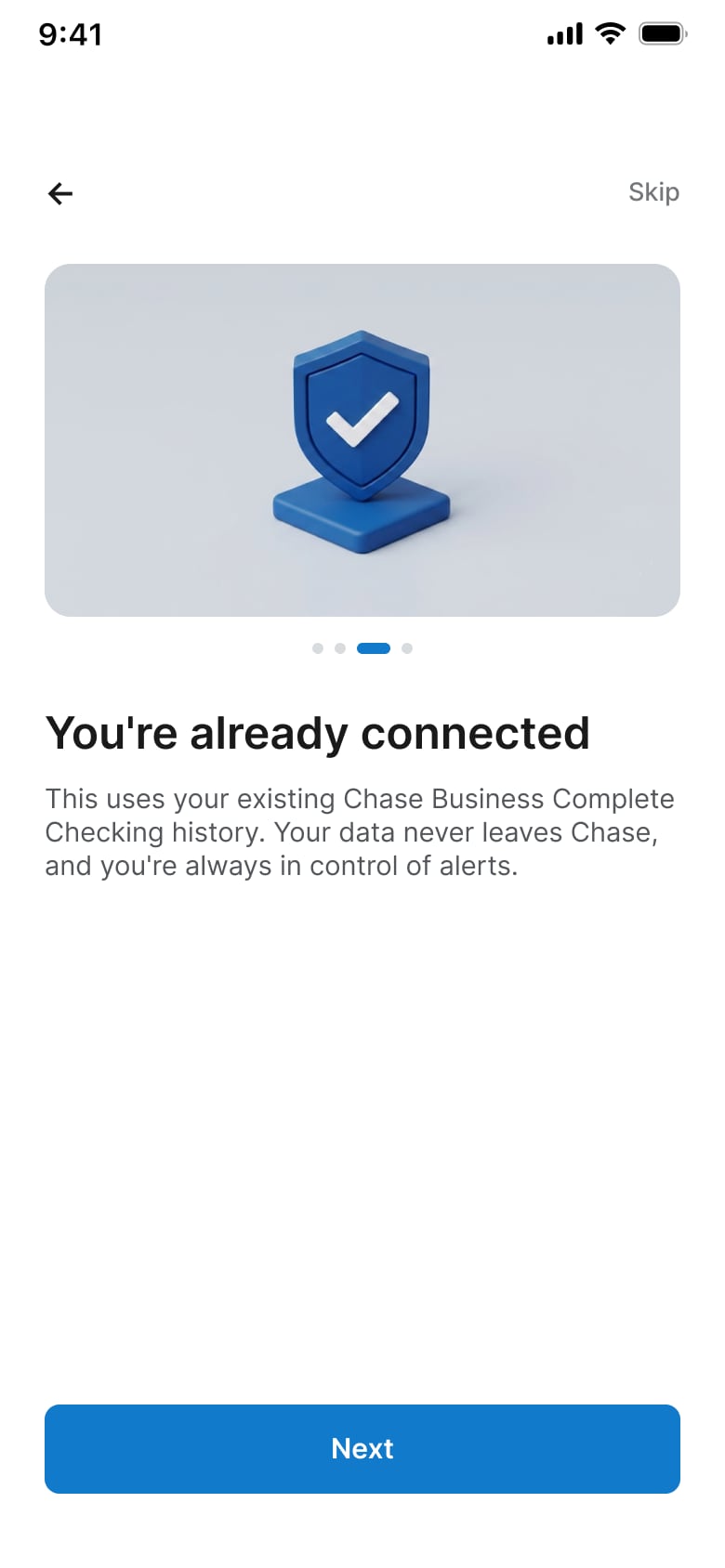
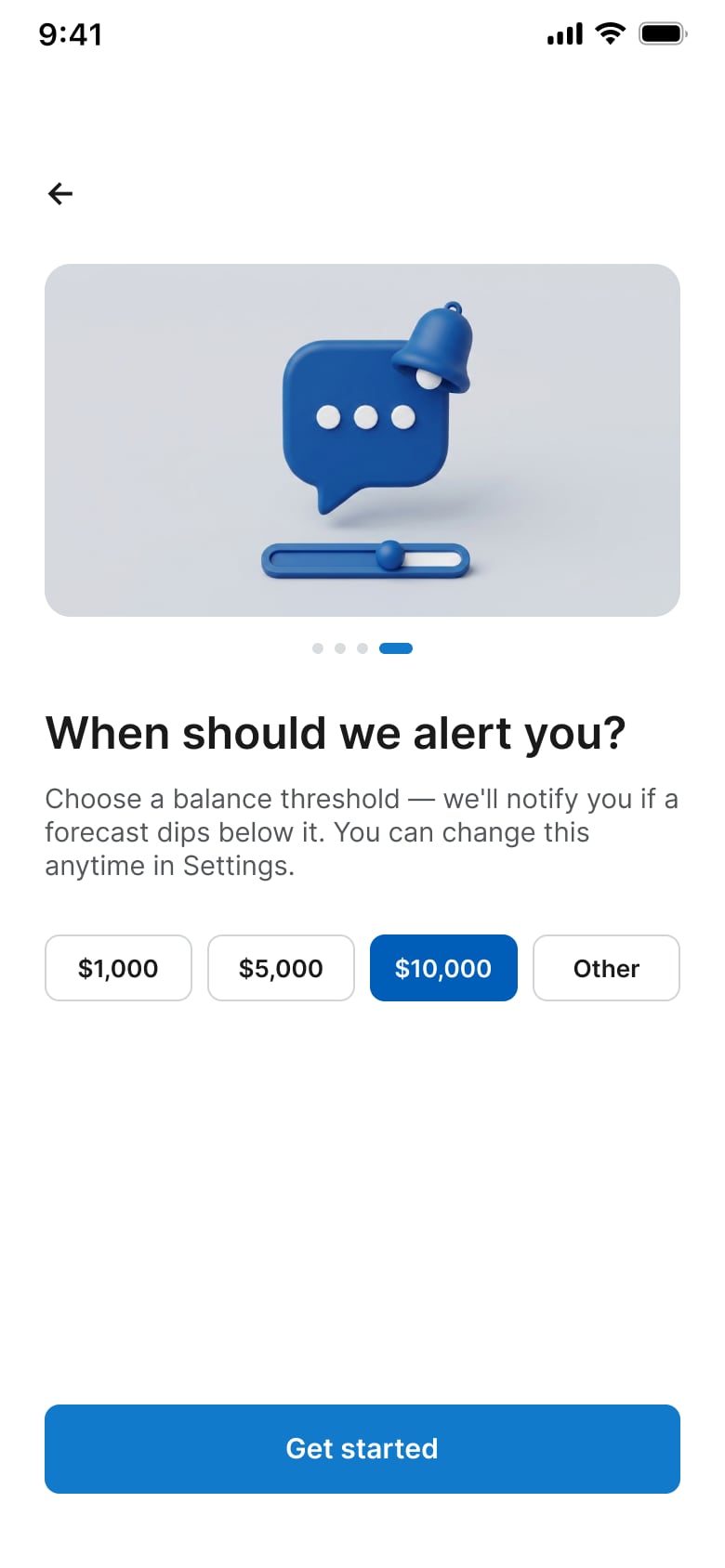
Feature onboarding
Teach the capability before the first alert fires
Onboarding introduces the forecast, explains what the system watches, and lets owners set an alert threshold so risk arrives as guidance they already opted into.
01

02
03
04
Outcomes
Helping business owners decide earlier, not react later
92%
Forecast accuracy
24 days
Lead time
4
Product surfaces
6 steps
Ask decision flow
Plan & Track
Cash Flow Alert
Ask
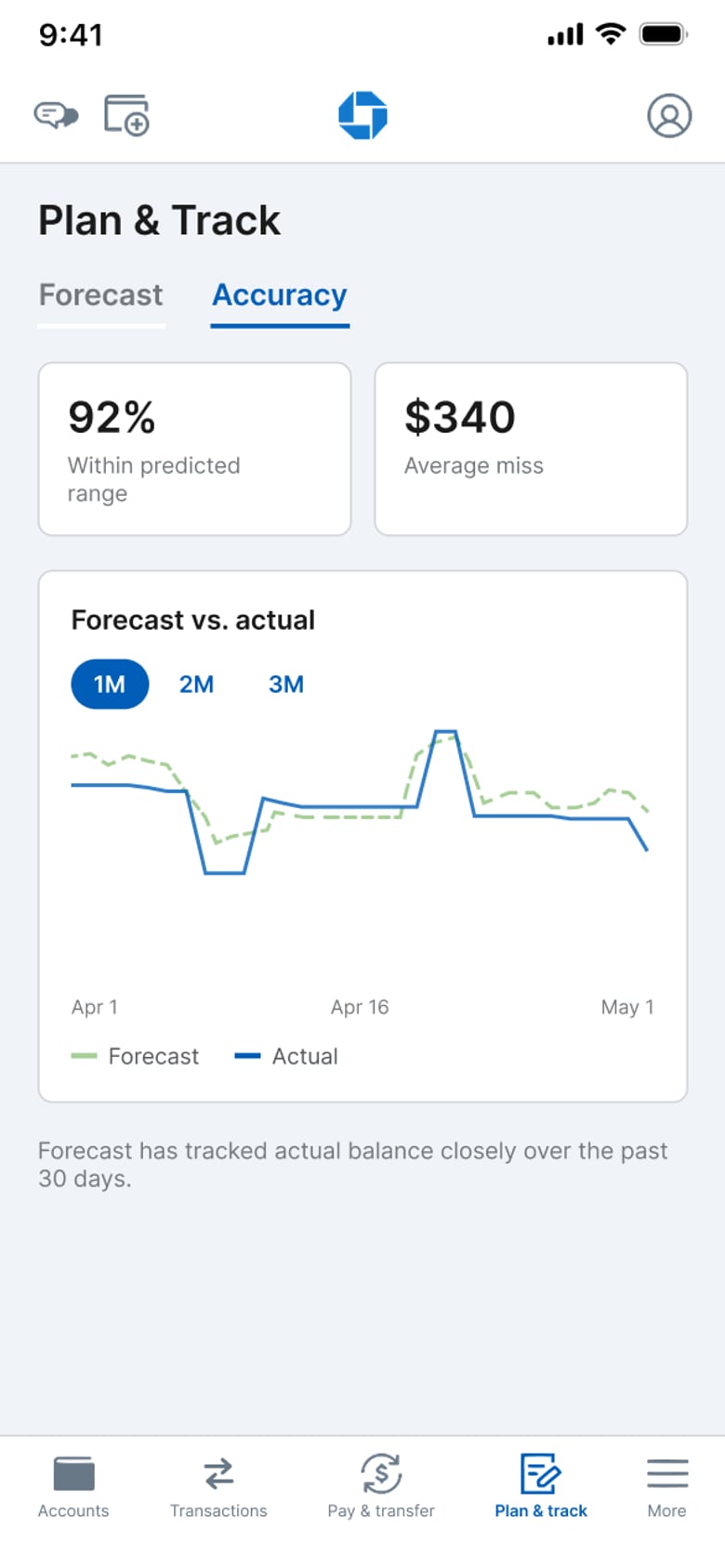
Forecast Accuracy
01 · 92% within predicted range
Accuracy is shown as a product surface, not a backstage claim, so owners can judge how much to trust the forecast.
02 · Forecast vs. actual
Side-by-side lines make miss size visible over time, reinforcing honesty about model performance.
Key product decisions
Balancing confidence with control
01
Design for confidence, not certainty
Early concepts sounded too sure about the future. The final experience states only what transaction history supports and names what remains uncertain.
Rather than saying
“An unexpected repair will reduce your balance.”
The experience explains
“Two client invoices are running later than their usual payment pattern, which could reduce your available balance if the trend continues.”
Trust comes from being transparent about what AI knows and what it doesn't. The Cash Flow Alert screen carries that same pattern-based language with an explicit disclaimer.
02
AI can recommend. Users stay in control.
The first prototype let users execute recommendations immediately. The final flow adds explicit confirmation before any financial action, so AI supports decisions without acting on its own.
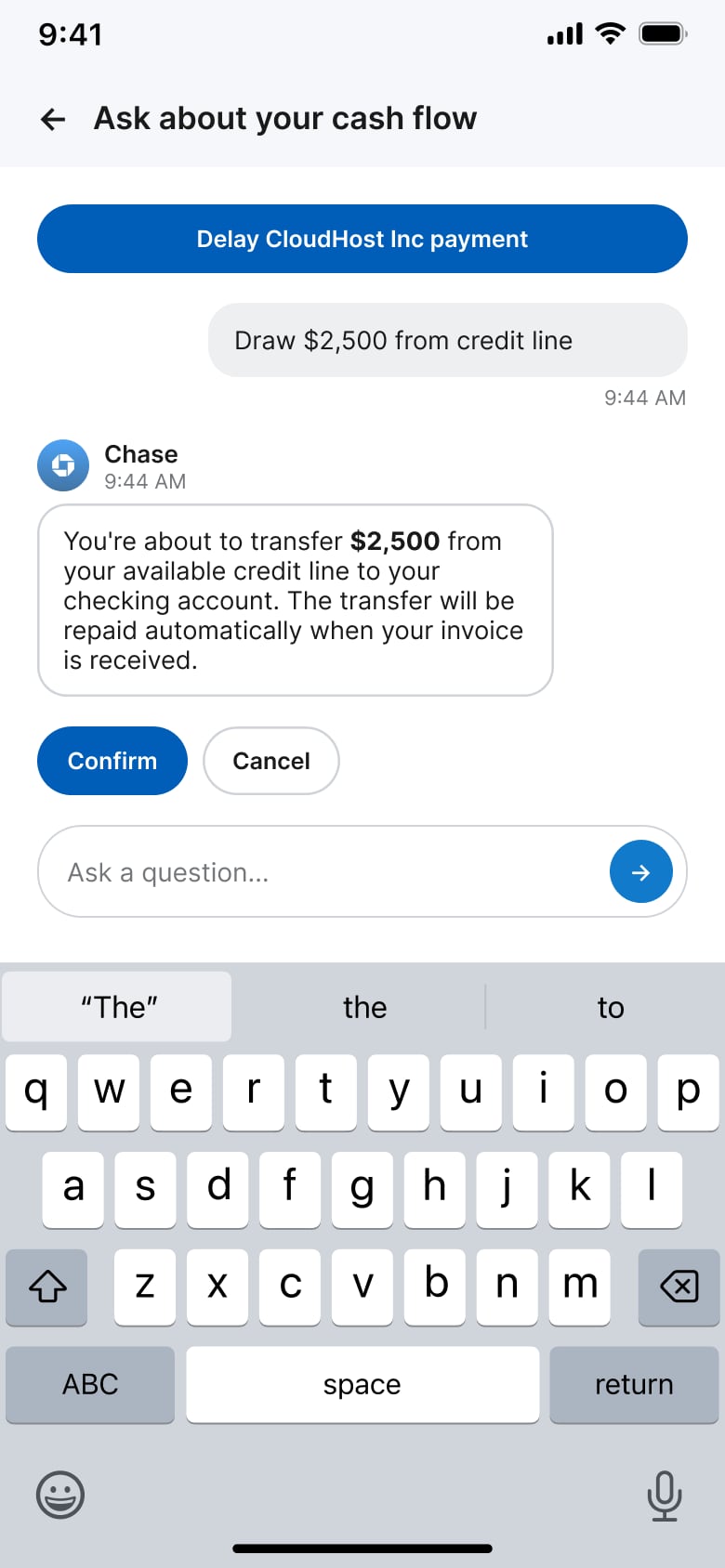
01 · Recommendation, then intent
After the user chooses a credit line draw, Chase restates the transfer amount and repayment behavior before money moves.
02 · Confirm or cancel
Explicit Confirm / Cancel keeps the conversational speed while preserving a deliberate decision moment.
AI in financial products
Conversation that complements the dashboard, not replaces it
Conversation reduces the effort required to interpret financial data without turning chat into another interface.
- Ask follow-up questions in plain language
- See why forecasts changed
- Compare scenarios
- Get recommendations without extra navigation
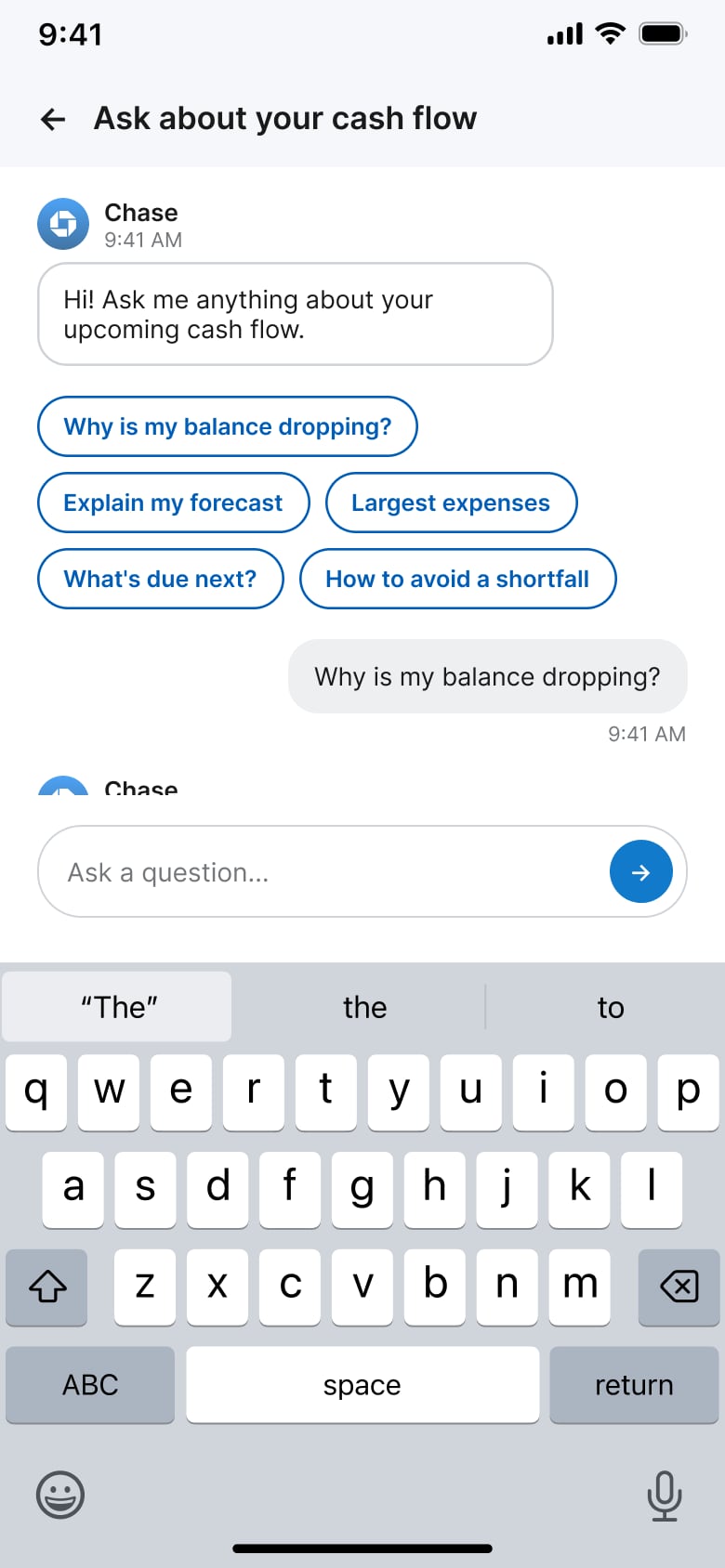
Ask decision flow
From “why is my balance dropping?” to a confirmed action
- 01Suggested prompts lower the cost of starting
- 02Chase explains the May 25 dip in plain language
- 03Recommendations stay selectable, not auto-run
- 04Confirm / Cancel gates the credit line transfer
- 05Success returns the owner to an updated forecast
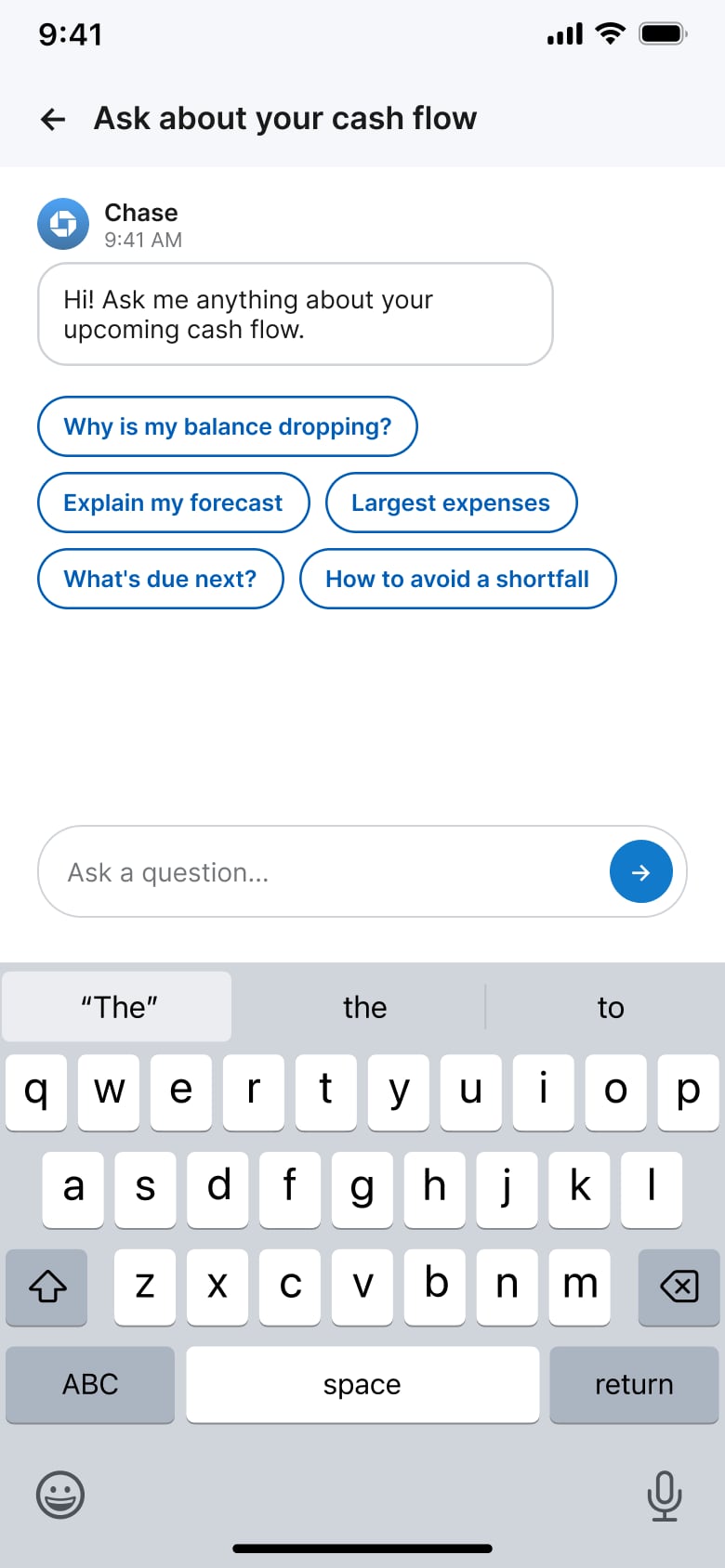
01
Open Ask with suggested prompts
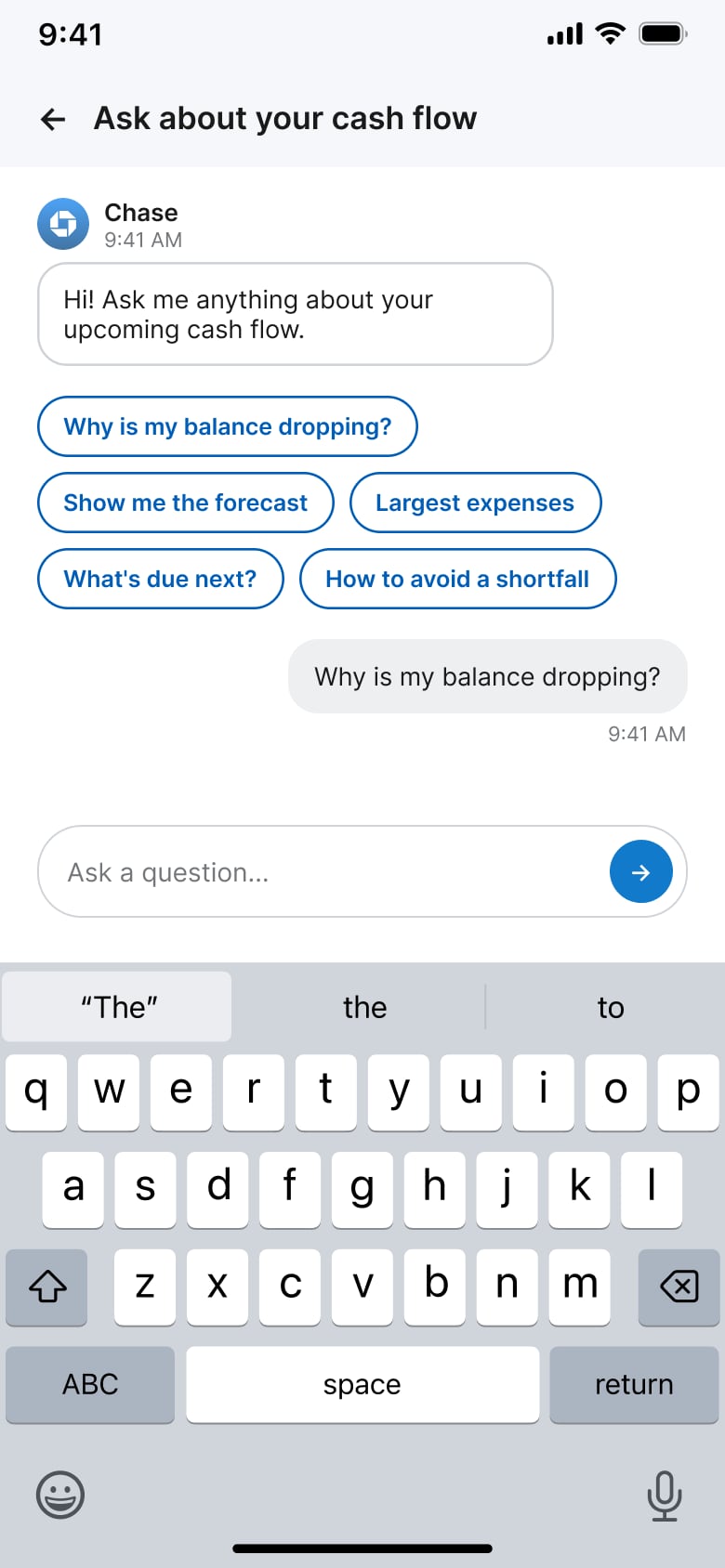
02
User asks why balance is dropping
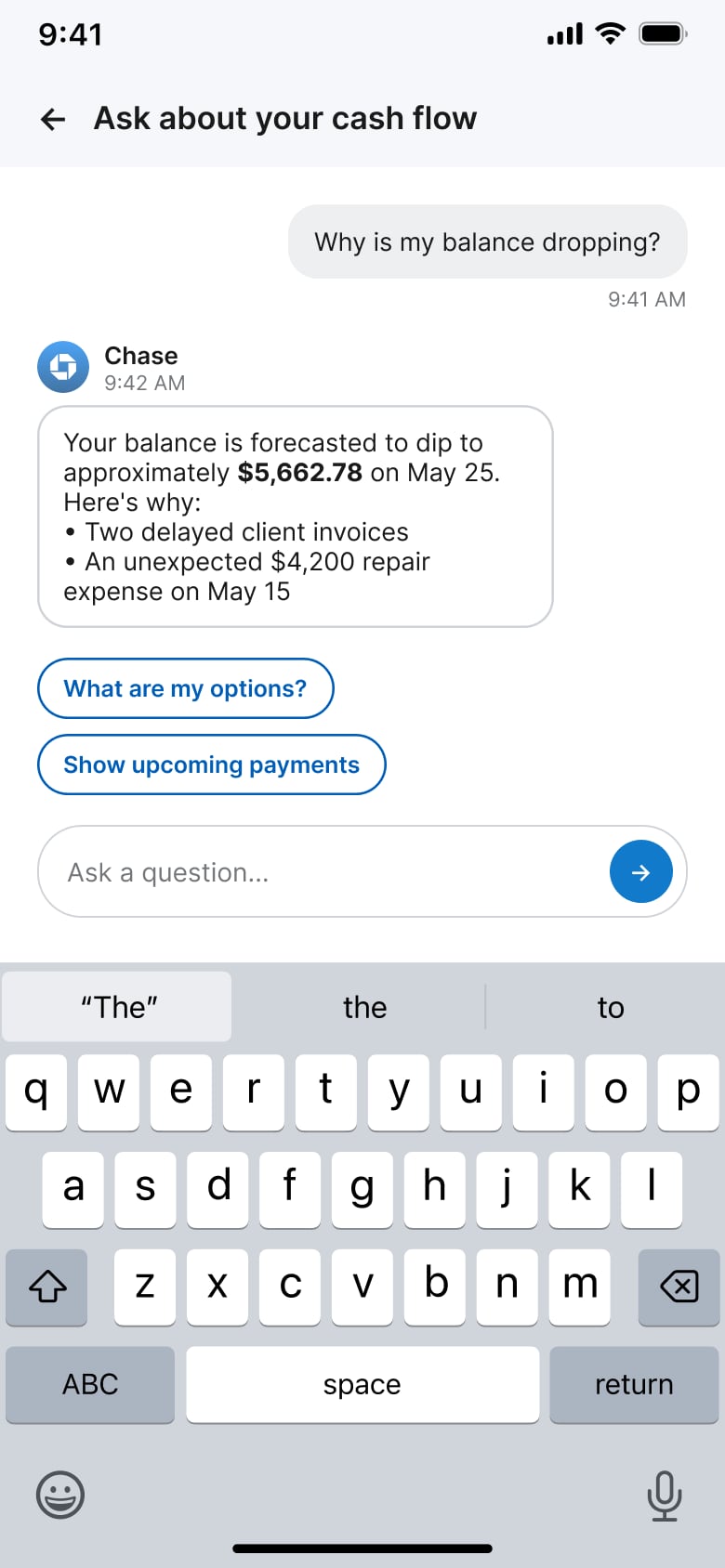
03
Explain the projected shortfall
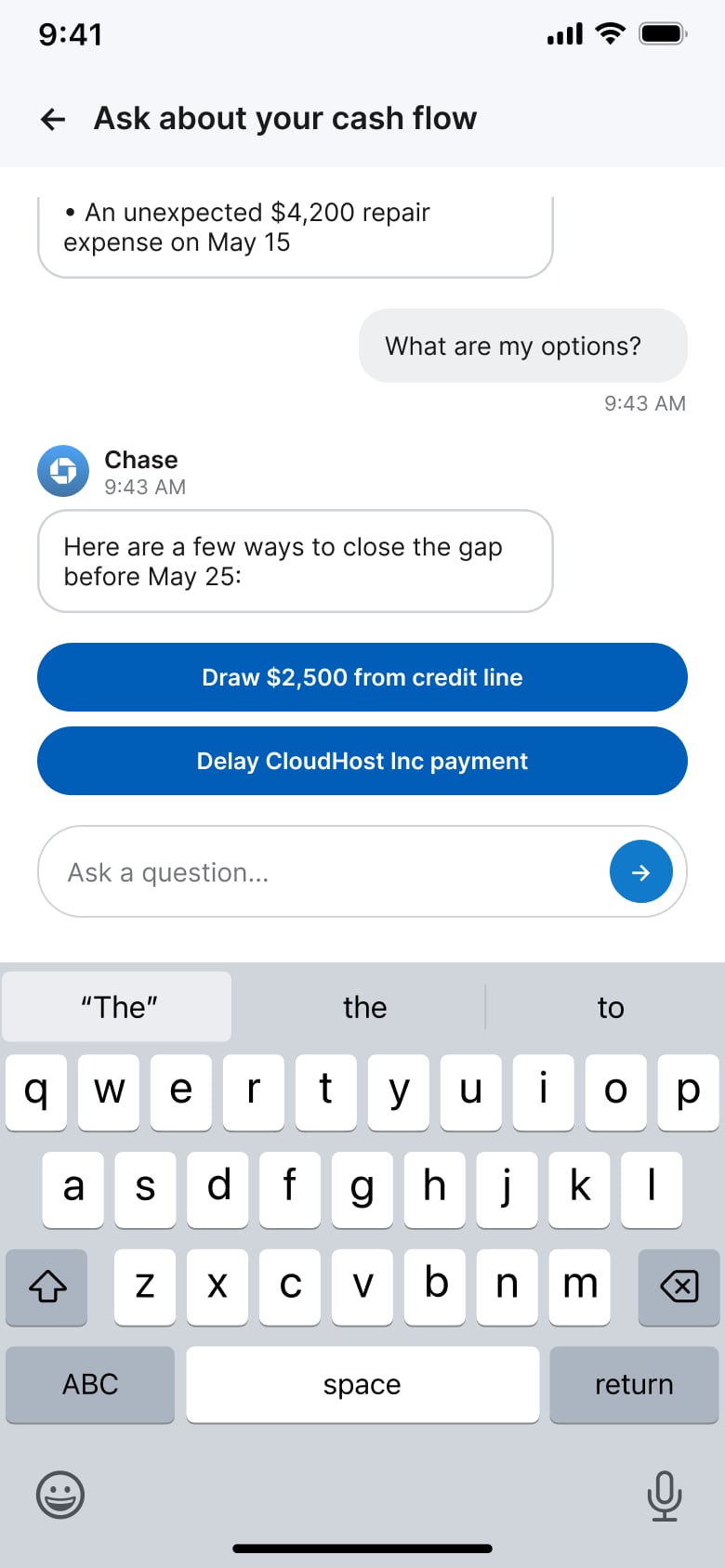
04
Offer concrete next actions
05
Confirm before any money moves
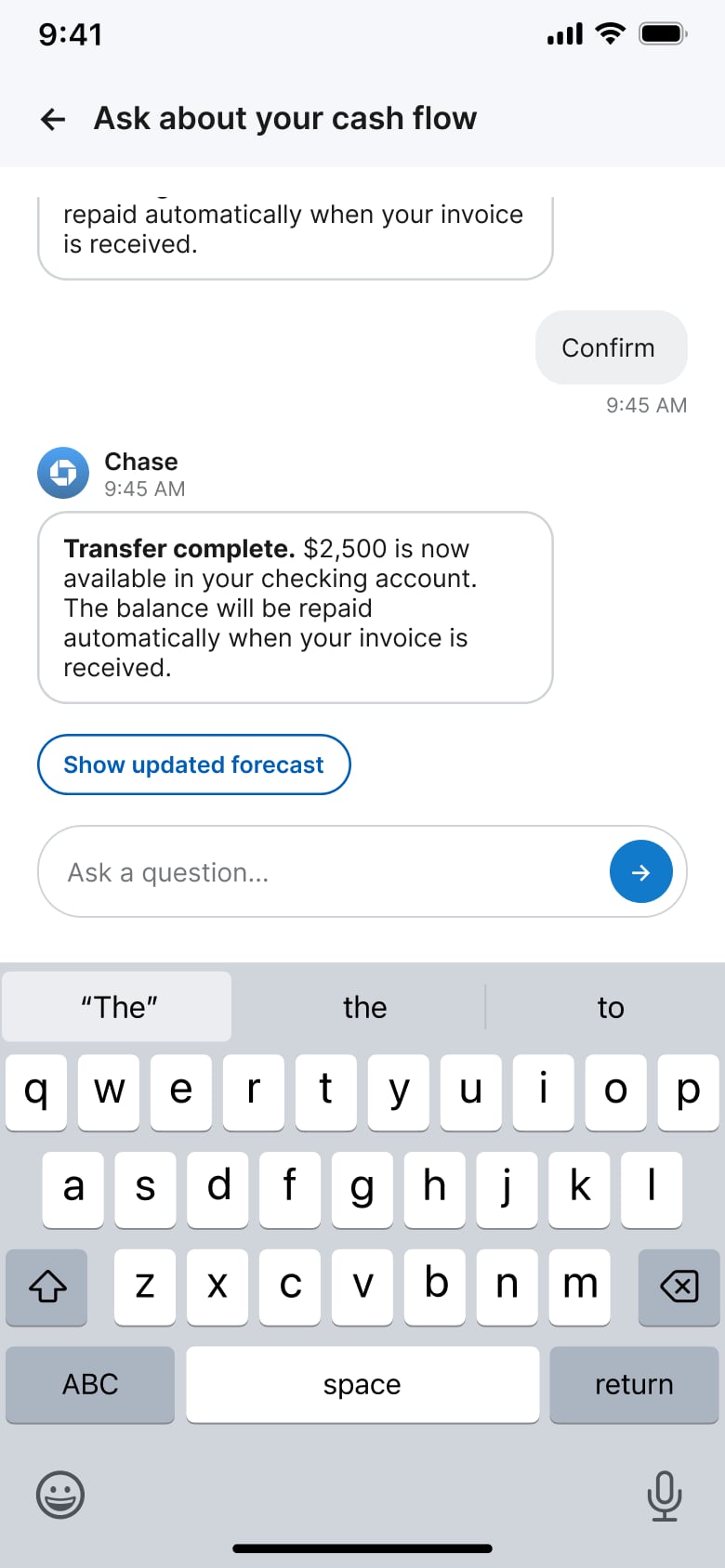
06
Confirm success and return to forecast
Product tradeoffs
Scope choices in a concept sprint
- 01
Authenticity vs. honesty
I limited the prototype to the available dataset instead of adding controls without data behind them.
- 02
Depth over breadth
I focused on one capability end to end: prediction, explanation, recommendation, and confirmed action.
- 03
Design fidelity vs. implementation practicality
Where production components were unavailable, I used raster assets to match Chase visual language while prioritizing the product experience.
Measuring success
A forecast only succeeds when someone acts on it
The concept proved dollar accuracy. Live success needs three checks: the alert fired for the right reason, someone moved money in time, and they could explain why.
Did the forecast get it right?
- Measure whether alerts were timely, unnecessary, or missed a real cash flow risk.
- Track lead time across all alerts, not just individual examples.
Did it change decisions?
- Measure how often owners act on recommended next steps.
- Compare cash shortfalls and decision time before and after alerts.
Did users trust it?
- Test whether owners can explain why a cash flow dip is predicted.
- Measure when recommendations are accepted, rejected, or prove incorrect.
Reflections
Designing AI for financial products is a trust challenge
Successful AI in finance depends less on prediction accuracy alone and more on helping people understand uncertainty, decide with context, and stay in control.
A next iteration would add scenario planning, confidence ranges, and seasonal forecasting tuned to each business.