Accessibility · Conversational AI
Conversational AI that restores autonomy at the table
Designing conversational AI that restores autonomy at the table for blind and low-vision diners
Conversational AI product
Co-designed with lived experience
Voice + text multimodal
Autonomy as the outcome
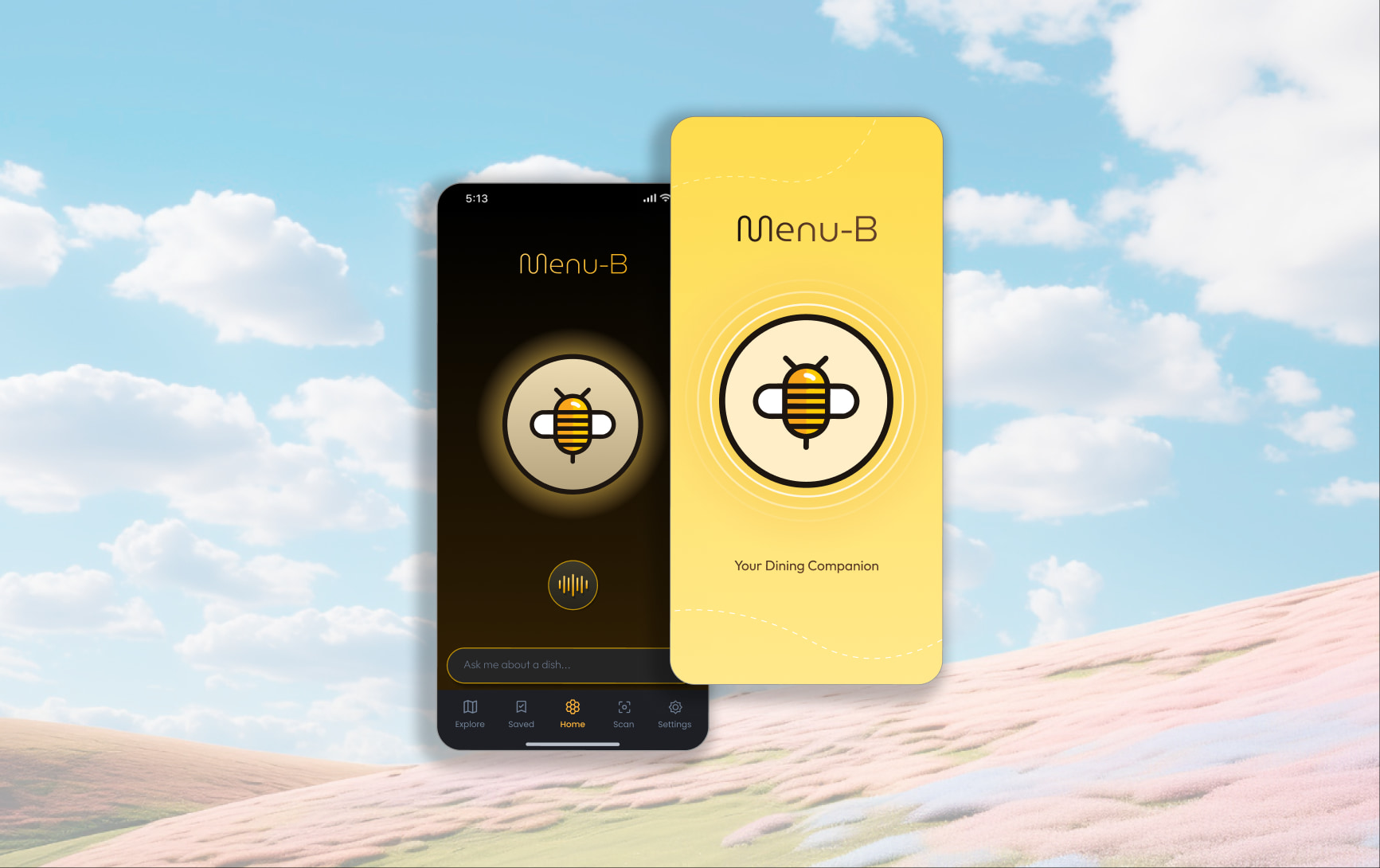
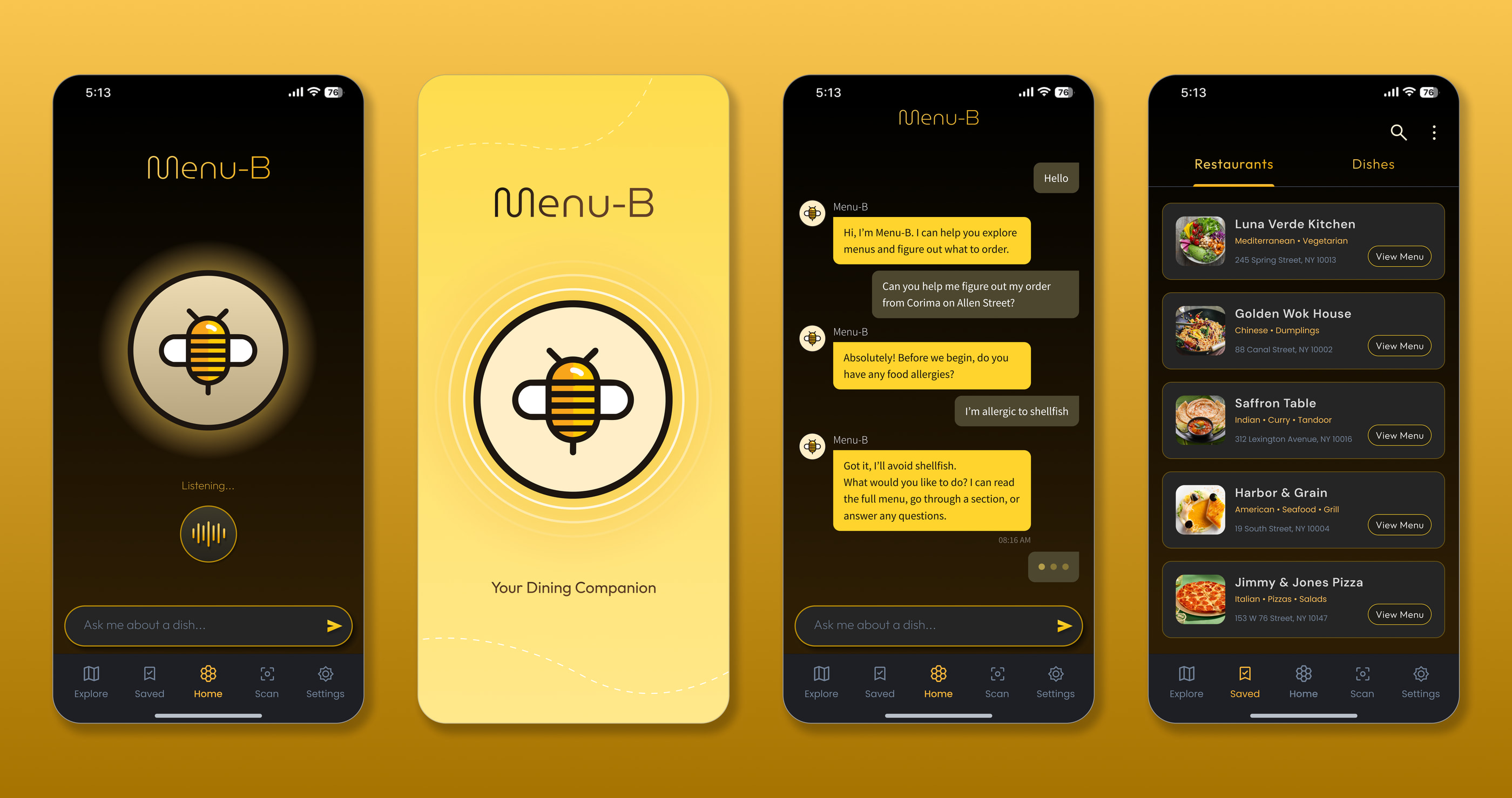
Menu-B turns static menus into voice- and text-driven conversations so blind and low-vision diners can explore dishes, understand ingredients, and decide independently.
- Role
- Product designer: conversational UX, accessibility strategy, prototypes
- Timeline
- 2 weeks
- Tools
- Voiceflow, Figma
- Scope
- Product framing, branding, conversation design, accessibility critique, interactive prototype
Overview
Autonomy is the product outcome, not just access
Most accessible menu approaches treat the problem as text extraction. That still leaves diners without structure, context, or a way to ask follow-ups under real restaurant pressure. Menu-B helps people explore and decide through a calm multimodal conversation: clarity and trust over novelty.
Origin
“If it's a problem for you, it's probably a problem for me too”
A lunch with my friend Eshaan Sood (@thejumpymonkey) rewrote the brief. I arrived with a banking idea for blind users; he explained banking is already highly accessible. The shared friction was the menu itself: vague dishes, no descriptions, no way to ask. That is how I was inspired to build Menu-B, co-designed with lived experience rather than assumed alone.
If a menu fails people who can't see it, it often fails people who can, just less obviously.
Problem
Dining is universal.Accessible menus are not
Menus are still designed as visual artifacts first, which quietly strips autonomy from blind and low-vision diners when confidence matters most.
01
Hostile structure
Rarely structured for screen readers. Images and layouts block navigation.
02
Missing context
Dish names hide ingredients, preparation, and allergen risk.
03
Unreliable OCR
Camera tools misread content, then present errors as truth.
04
No follow-up path
No way to ask clarifying questions mid-decision.
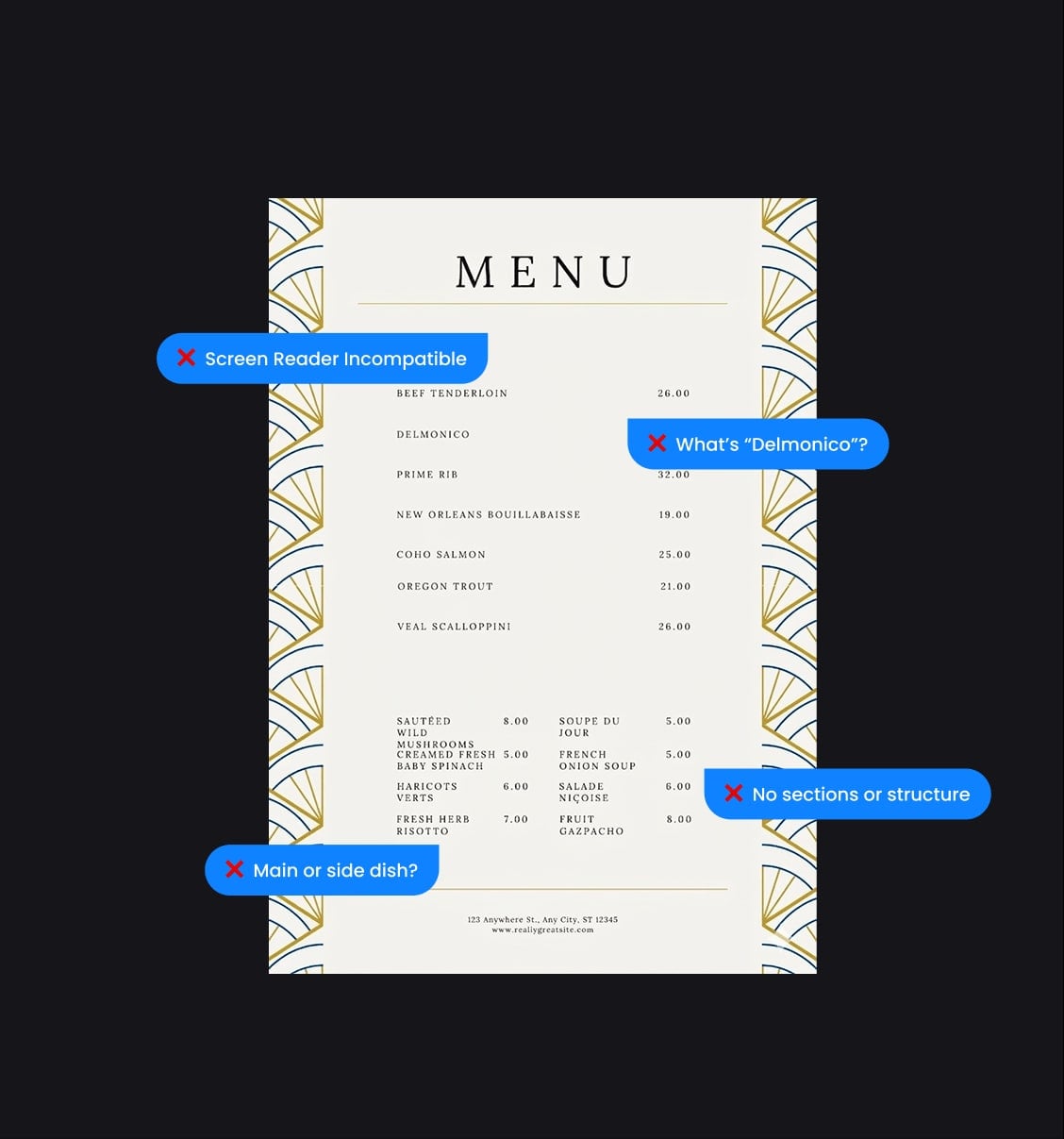
How might we help diners explore menus independently, with enough clarity to decide confidently and safely?
Solution
Menu-B: conversation as the access layer
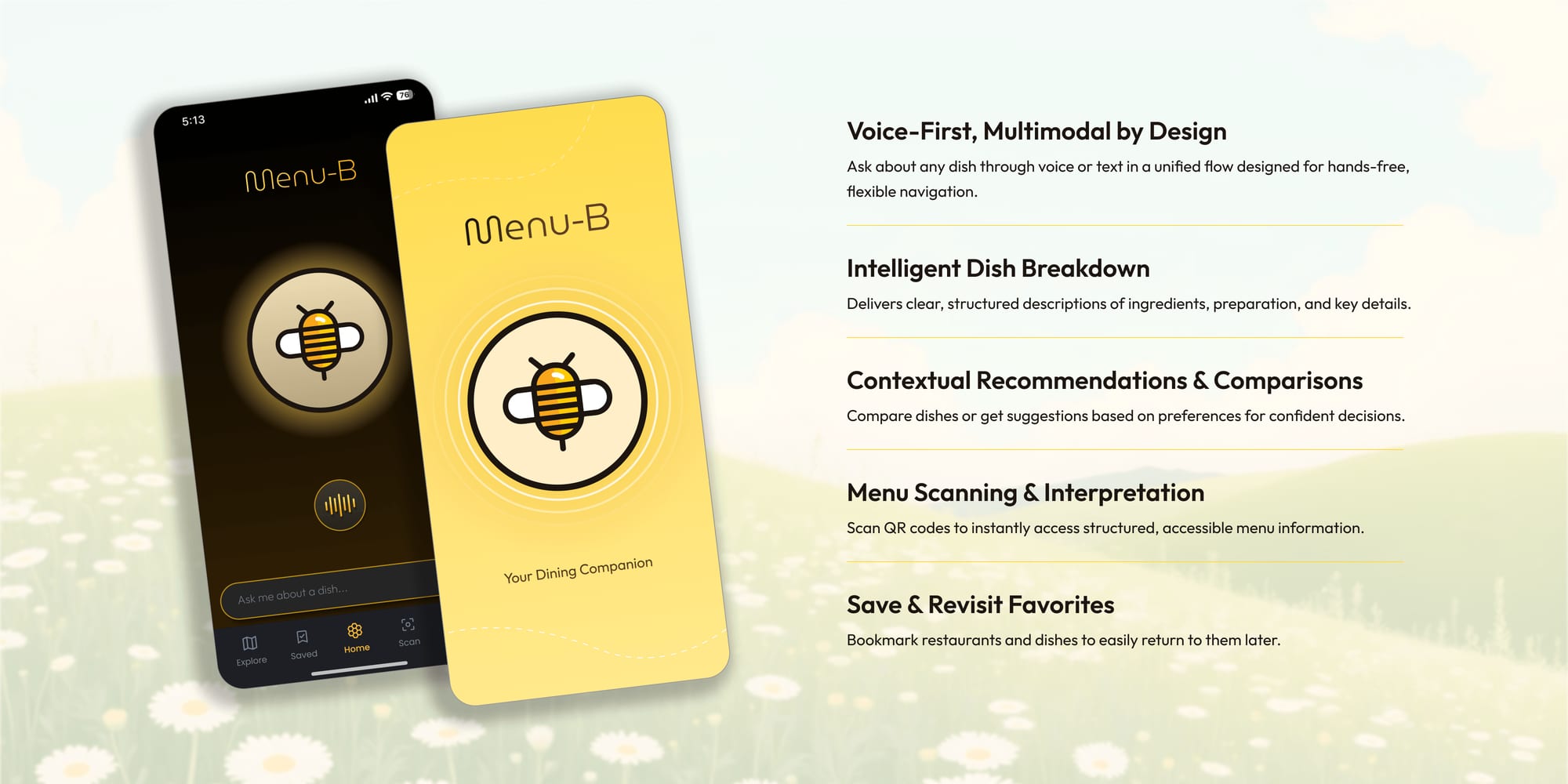
Inspired by how bees move from flower to flower, and by the idea of a "Menu B," Menu-B transforms the traditional menu into an interactive experience. Instead of scanning dense text, diners explore structured dish information through a calm, multimodal conversation built for real restaurant settings.
Ecosystem
Designing beyond the chat interface
Independence at the table is an ecosystem: menus and scanning, restaurants and data, AI and accessibility tooling, trust, privacy, and social pressure. Mapping those forces early kept decisions grounded in the full dining context, not only the conversation UI.
Ecosystem
From the diner outward — touchpoints, systems, stakeholders, and context
Concentric ecosystem with core diner at center, then direct interactions, enabling systems, stakeholders, and contextual forces.
Core User: Diner. Blind & low-vision
Direct Interactions — What the diner engages with: Menu-B App; Voice + Text; Menu Scanning; Restaurant Menus; Waitstaff
Enabling Systems — What powers the experience: AI Model; Menu Database; OCR Pipeline; Accessibility Layer; POS & Menus
Stakeholders — What shapes the system: Restaurant Operators; Menu Updates; A11y Standards
Contextual Forces — External influences: Time & Social Pressure; Trust in AI; Privacy & Safety; Language & Cuisine
Menu-B App
Voice + Text
Menu Scanning
Restaurant Menus
Waitstaff
AI Model
Menu Database
OCR Pipeline
Accessibility Layer
POS & Menus
Restaurant Operators
Menu Updates
A11y Standards
Time & Social Pressure
Trust in AI
Privacy & Safety
Language & Cuisine
Core User
Diner
Blind & low-vision
Direct Interactions
- Menu-B App
- Voice + Text
- Menu Scanning
- Restaurant Menus
- Waitstaff
Enabling Systems
- AI Model
- Menu Database
- OCR Pipeline
- Accessibility Layer
- POS & Menus
Stakeholders
- Restaurant Operators
- Menu Updates
- A11y Standards
Contextual Forces
- Time & Social Pressure
- Trust in AI
- Privacy & Safety
- Language & Cuisine
Impact
Designed for blind users.Built as universal design
Primary users are blind and low-vision diners, but the same friction shows up more broadly. Solving the hardest case strengthens the experience for everyone at the table.
01
Motor or cognitive disabilities
Less dependence on visual layout and fine touch navigation
02
Users with social anxiety
Private exploration without performing preference at the table
03
Sighted users
Faster clarity on ingredients, preparation, and tradeoffs
04
Anyone seeking confidence
Structured answers when dish names hide meaning
Interaction
Multimodal by default.Switch modes without losing the thread
Voice and text, interchangeable in one conversation thread, so diners choose what fits the moment without restarting context.
Voice interaction
Hands-free clarity when the table is live: wake phrase, real-time listening, and short spoken answers that prioritize understanding over small talk.
Voice
Speak naturally
- Start a conversation
- Real-time listening
- Intent matching
- Clear spoken responses
Text interaction
Persistent, scannable answers when silence or privacy matters: same intelligence, different modality.
Text
Type and revisit
- Type when voice isn't right
- Persistent thread
- Structured responses
- Explore at pace
Bot personality
Personality as an accessibility decision
Personality was treated as cognitive load management: calm, steady, slightly formal; mid-to-low personification so warmth never distracts from food, allergens, or cost decisions.

Conversation design
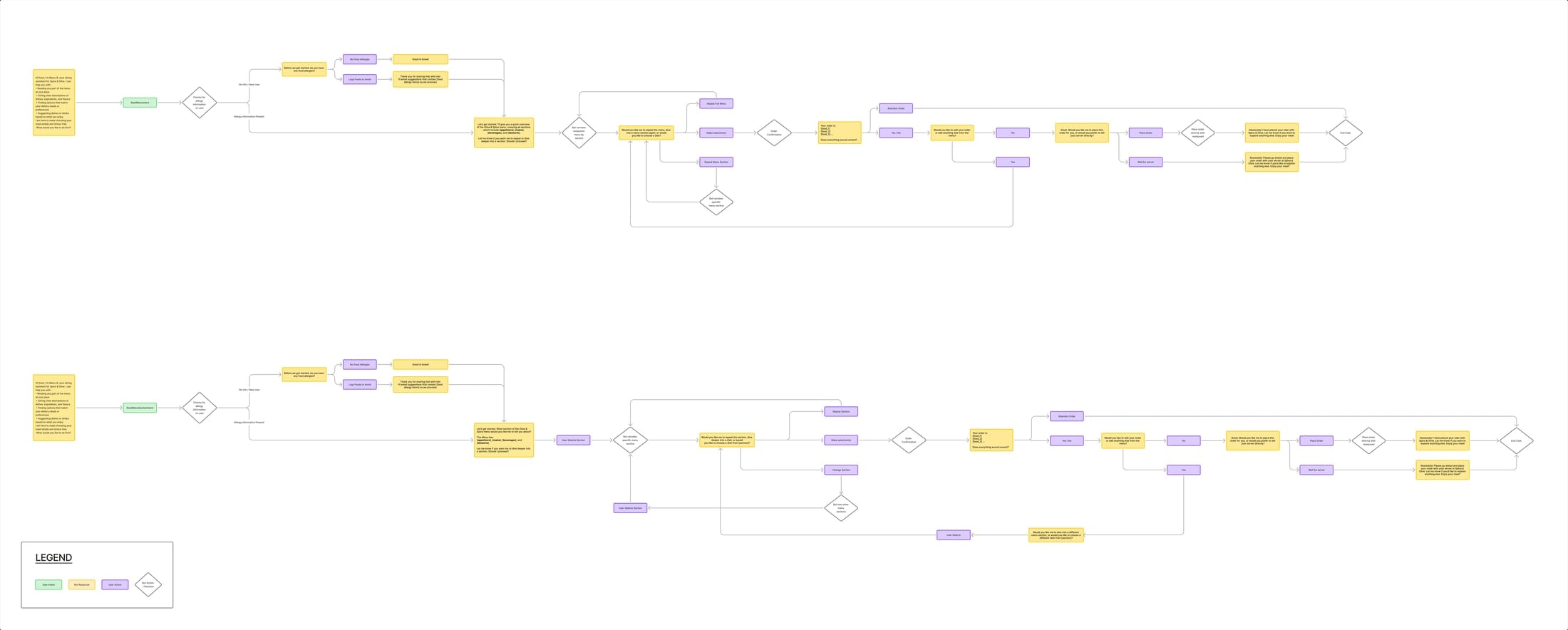
Flexible entry points, consistent structure
Architecture supports full menu, section, and custom queries while keeping responses consistent, contextual, and navigable. Trust earned turn by turn.
View flow diagrams ↗
Scaling
Trust scales only when data does
- 01
Restaurant partnerships
Structured menu data over fragile one-off OCR.
- 02
Personalization
Dietary needs handled carefully, privacy first.
- 03
Onboarding tools
Low-friction menu upload and updates for operators.
- 04
Platform integrations
Reservations, ordering, and POS: scale access without eroding accuracy or trust.
Reflections
What I carry forward
- 01
Design beyond the screen
Conversation design is the product: pacing information, handling ambiguity, and making multimodal continuity feel natural rather than scripted.
- 02
Co-design is non-negotiable
Lived experience did not polish the solution. It defined the problem worth solving. That discipline is now default in how I approach accessibility.
- 03
Next steps
Pressure-test integrations earlier, then validate with blind and low-vision diners in real restaurants: trust, latency, and error recovery under table conditions.